logo
Home

Real Estate Software Development Services

Our custom real estate software development brings you property management systems, CRMs, mobile apps, and other advanced real estate solutions to make your business easier, more profitable, and enhance your customer experiences.

Consult Our Experts
real-estate-banner

Our Range of Real Estate Software Development Services

We offer a wide array of real estate software solutions tailored to the unique needs of real estate developers, property owners, leasing companies, buyers, sellers, agents, brokers, and tenants.

Property Management Software

Effectively manage various important aspects of your commercial, residential, or rental property with property management software. It automates all necessary processes and tasks like collection of rent and maintenance requests.

CRM and ERP Platforms

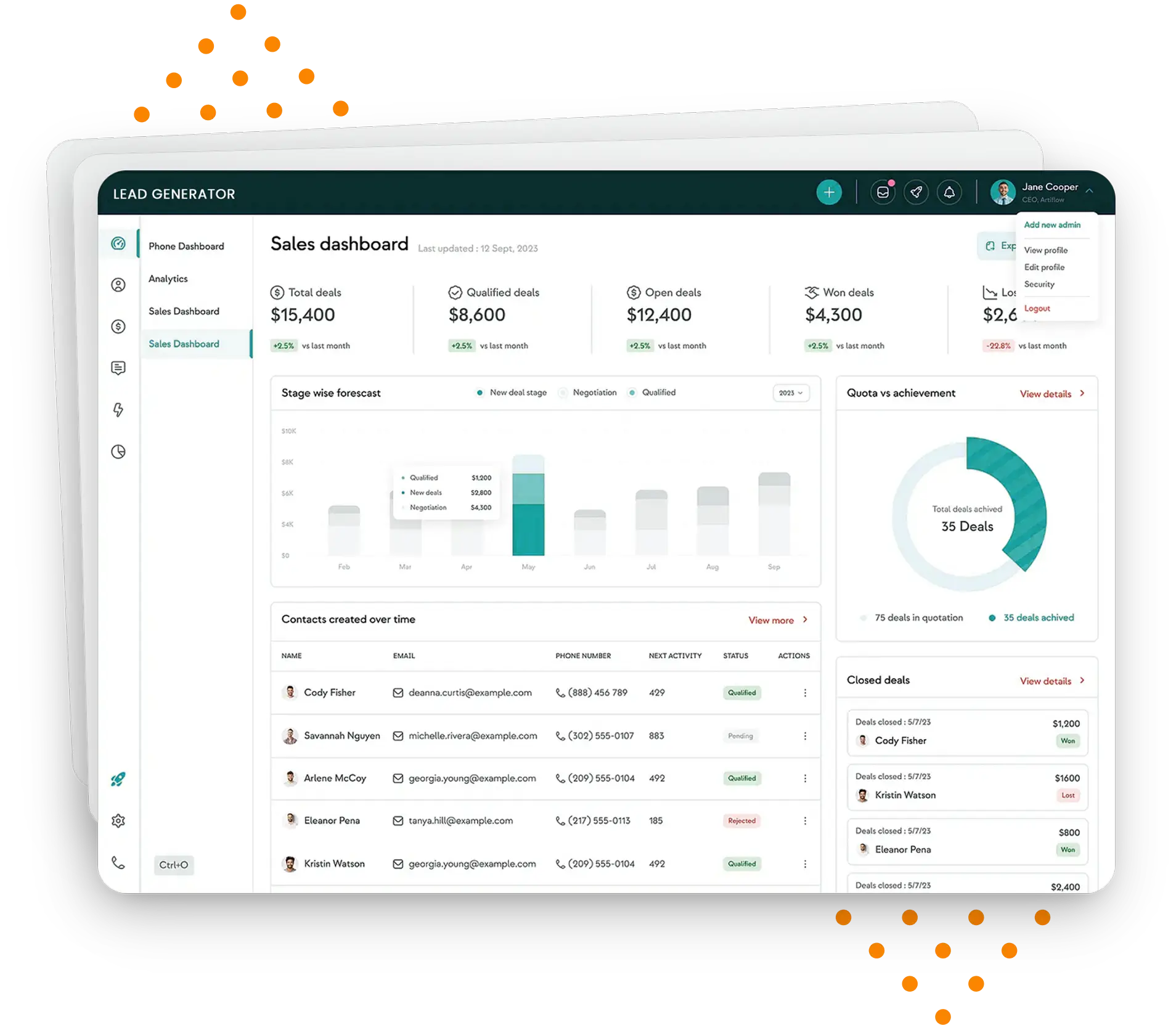
Our ERP platforms help real estate businesses streamline their sales and other operations, improve resource allocation, and enhance financial management. Our CRM platforms enable efficient management of client interactions.

Online Real Estate Marketplaces

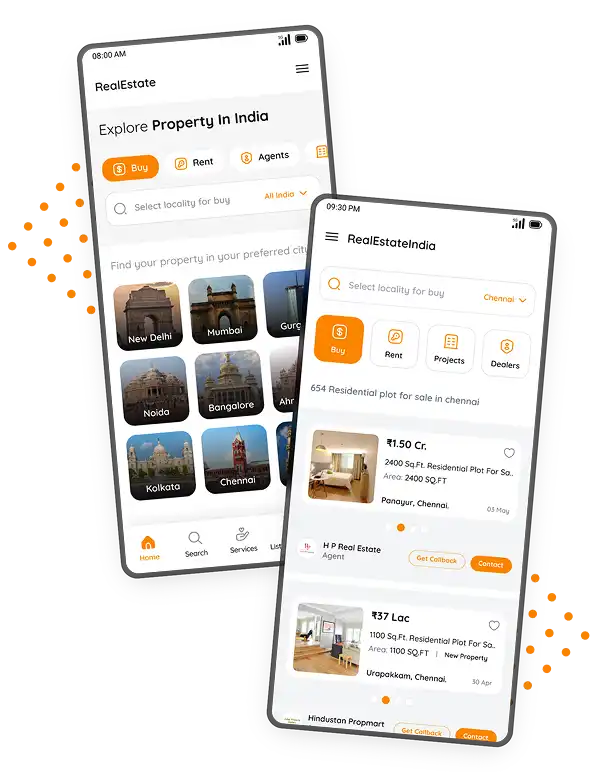
Our team has expertise in building advanced, intuitive, and custom real estate marketplaces. Equipped with expanded search options, convenient property viewing, and analytics, they streamline the search process and enhance buyer-seller communication and real estate experience.

Real Estate Mobile Applications

Our cutting-edge native and cross-platform apps are loaded with enhanced property search, real-time notifications, financial tools, listing management, inquiry tracking, etc. Thus, they improve customer engagement and enhance the efficiency of buyers and sellers.

Real Estate Data Analytics

Our advanced analytics solutions provide useful data-related insights on property values, market trends, customer behavior, neighborhood amenities, etc. They help buyers and sellers to make informed decisions over property investments and transactions.

Property Listing and Search Apps

Our apps let buyers, sellers, and agents easily find and compare updated listings on their preferred properties and locations. They provide relevant property details, including high-quality images and interactive maps in a visually appealing way which adds to users' experience.

abstract

Have an Innovative Real Estate App Idea?

We have the industry expertise and skills to turn your dream idea into a powerful real estate app that makes your business thrive.
Start your journey

AI Solutions in Real Estate

We leverage the power of advanced AI technologies to build cutting-edge solutions for diverse real estate businesses, agents, sellers, and buyers.

AI-Powered Property Valuation

AI Automated Valuation Models (AVMs) use property data-driven algorithms for accurate and real-time property valuations, thus reducing the risk of human bias and enhancing pricing strategies.

AI-Driven Market Analysis

By analyzing current conditions and past data, AI helps predict market trends and assess potential investment opportunities, leading to better property investment decisions.

Chatbots and Virtual Assistants

AI chatbots engage customers by handling inquiries, providing personalized recommendations, and scheduling property viewings. Virtual assistants deliver operational and other support to real estate professionals.

Property Search Optimization

AI enhances property searches with data-driven insights and personalized recommendations based on user behavior and preferences. NLP simplifies listing search through human language like "3-bedroom apartment in downtown."
realestate-mobile
realestate-dashboard

Lead Generation and CRM

By centralizing lead data, our AI-driven CRM systems help real estate professionals engage leads in a personalized way, making lead generation and sales efforts more organized, efficient, and effective.

AI-Based Pricing Models

AI-powered pricing models enable real-time adjustments to property pricing as per the analysis of market conditions, supply-demand, and competitor pricing, leading to more accurate, efficient, and transparent pricing strategies.

Property Management Automation

AI enhances property management by automating tasks like rent collection, tenant screening, maintenance scheduling, etc., helping property managers optimize operations, reduce costs, and save valuable time.

Automated Document Processing

AI automates processing, verification, and review of various property documents like purchase agreements, lease agreements, and inspection reports which ensures compliance, saves time and resources, and enables faster transactions.

What Value Does Capanicus Offer in the Real Estate Software Development Field?

Advanced software solutions from Capanicus grant value to real estate users by offering them easy, engaging, transparent, and secure property management experiences. Here are highlights of our groundbreaking real estate software development services.
01

End-to-End Expertise

Our experts guide you throughout the process, right from conceptualizing the solution to its delivery and maintenance.
02

Industry Expertise

Our adept software developers possess extensive knowledge of the real estate industry and domain.
03

Advanced Tech Stack

Capanicus utilizes only the latest and proven technologies for your projects that deliver desired results.
04

Reliability and Security

We integrate essential features in your application to protect properties and customer data from any potential risks and issues.
05

User-Oriented Design

We are focused on building intuitive interfaces and easy-to-use real estate products to deliver engaging and valuable experiences to users.
06

Scalability

Our real estate software development company develops scalable solutions in view of business growth and increased operations in the future.
Blogs, News and Insights worth exploring
We love reading, researching, and writing a lot of stuff about technology, current trends, and other technology-related things. Explore our writings where we have shared our technological insights.
blogs
Tips to Boost Contact Center Efficiency with AI Voice Agents
By Capanicus 2026-06-10 11:46:41
Here’s a number that should get your attention: the average contact center agent spends nearly 40% of their time on repetitive, low-value tasks. Things like answering the same questions over and over, manually logging call notes, or putting customers on hold just to pull up basic account information. That’s a process problem. And today, there’s a clear solution staring most contact center managers in the face — AI Voice Agents.  We’re talking about modern, conversational AI for contact centers that can understand context, handle complex queries, respond naturally, and hand off to a human agent exactly when it makes sense. This blog is a practical guide on how to actually use AI Voice Agents to improve contact center efficiency without disrupting what’s already working and without the hype. Why Efficiency Problems in Contact Centers Run Deeper Than Headcount When performance dips, the first instinct is usually to hire more people or push the existing team harder. Both approaches miss the point. The real drain is structural. Here’s where most contact centers actually lose time and money: Agents switching between 4–6 tools on a single call Customers repeat their issue every time they’re transferred After-call work: eating 10–15 minutes per interaction New agents are taking weeks to reach productive performance Peak hours create backlogs that damage customer trust None of these are solved by adding more agents. They’re solved by fixing the infrastructure around your agents. That’s exactly where AI Contact Center tools earn their place. What Is an AI Voice Agent and How Is It Different from Old IVR? This distinction matters because a lot of skepticism about AI in contact centers comes from bad IVR experiences. Old IVR listens for keywords and follows a rigid decision tree. It forces customers through menus, misunderstands natural speech, and creates frustration. Most people have learned to just press “0” to escape it. An AI Voice Agent is fundamentally different. It uses natural language processing to understand full sentences, handles interruptions, manages context across the conversation, and takes real action — looking up account data, booking appointments, processing requests without a human in the loop. Think of it this way: old IVR is a vending machine. A modern AI Voice Agent is closer to a knowledgeable front desk assistant who actually understands your question and can do something about it. How AI Voice Agents Actually Improve Contact Center Efficiency The gains happen across multiple layers of your operation at the same time. Handling Volume Before It Hits Your Queue AI Voice Agents resolve the high-frequency, predictable queries like order status, account checks, appointment scheduling, and basic troubleshooting without touching your agent queue. Even deflecting 30–35% of total call volume creates an immediate, measurable difference in agent workload and wait times. Helping Agents During Live Calls This is the part most teams underutilize. The agent stays focused on the customer. The machine handles the cognitive overhead. AI assist tools can work alongside live agents in real time: Surfacing relevant knowledge base articles as the conversation happens Suggesting next best actions based on what the caller is saying Auto-filling CRM fields so the agent isn’t typing while talking Flagging missing information or compliance gaps before the call ends Eliminating After-Call Work After-call work — logging notes, updating the CRM, tagging the call type, triggering follow-ups — accounts for 15–20% of total agent time in most contact centers. AI can automate all of it. Every call. Without manual input. That time goes back to your agents. Your data accuracy improves. And your cost per interaction drops without touching headcount. Which Call Types Should You Automate First? In most contact centers, five to eight query types make up the bulk of daily volume. These are your starting point. Common candidates include: Account balance and status inquiries Order tracking and delivery updates Appointment booking and rescheduling Password resets and basic access issues Standard product troubleshooting flows Automate these first. Get them stable and performing well. Then expand. The principle is simple — automate what’s predictable, protect your humans for what requires actual judgment. Trying to automate everything at once is how deployments fail. What Makes a Good AI-to-Human Handoff? This is one of the most important design decisions in any AI Contact Center deployment, and one of the most overlooked. A lot of teams optimize for “containment rate”. That’s the wrong goal. A customer whose issue wasn’t resolved but who stayed in the bot the whole time isn’t a win. They’re a callback waiting to happen. The right goal is seamless, intelligent escalation. When the AI can’t resolve the issue or detects frustration, it: Route immediately to the right agent, not a generic queue Pass the full conversation context so the agent knows exactly what happened Ensure the customer never has to repeat themselves This single design decision reduces average handle time on escalated calls by 20–30%.  Does AI Training on Your Own Data Actually Matter? Yes. Significantly. And this is where most deployments either earn their ROI or quietly fail. A generic model performs generically. Your contact center has specific products, specific customer language, specific workflows. A model that hasn’t seen any of that will misunderstand callers on common queries and frustrate the people you were trying to serve better. Your call recordings are your most valuable training asset. Use them. Analyze transcripts to understand how your customers actually phrase things. Train your AI Voice Agent on your real terminology, your resolution flows, your edge cases. Then monitor every interaction where the AI misunderstood or escalated unnecessarily and feed those failures back into the model. A well-trained Conversational AI for Contact Centers improves every week. A neglected one erodes customer trust. Ongoing training is not optional. It’s the actual work. Can AI Voice Agents Handle Outbound Calls Too? Yes, and most contact centers leave significant efficiency on the table by not using it. Outbound use cases are often more predictable in structure than inbound, which makes them well-suited to AI. Common high-ROI applications include: Payment reminders and overdue notices Appointment confirmation and rescheduling Post-service feedback collection Proactive delivery and service update calls Re-engagement campaigns for lapsed customers An AI Call Center Solution running outbound campaigns can make hundreds of simultaneous calls at consistent quality. Your human agents can focus their outbound effort on warm leads and complex situations where a real conversation moves the needle. What Happens When AI Connects to Your Back-End Systems? This is the line between an AI that sounds capable and one that actually is. Without system integration, your AI Voice Agent can collect information but can’t resolve anything. It’s essentially a sophisticated intake form. When your AI is connected to your CRM, order management, booking platform, billing system, and knowledge base, it can actually do things within the call: Verify caller identity against live account data Check order or delivery status in real time Process an appointment change end-to-end Update records without any human involvement That’s what genuine end-to-end resolution looks like in an AI Contact Center. And it depends entirely on how well the back-end integration is built. If this step is skipped or done poorly, your AI will always need a human to finish the job. Common Mistakes That Kill AI Contact Center Deployments Knowing what not to do is half the battle. These are the patterns that consistently cause deployments to underperform: Optimizing for containment over resolution.  Keeping the caller in the bot means nothing if their issue isn’t solved. Outcomes matter more than metrics. Deploying without domain training.  Generic AI gives generic results. Train on your actual call data before going live. Skipping back-end integration. An AI that can’t access live data can’t resolve anything meaningful. Integration isn’t optional. Treating it as a one-time deployment.  AI models need ongoing monitoring, retraining, and refinement. Set-and-forget is how you end up with a bot that frustrates customers six months later. Not bringing agents along.  Your team needs to understand how AI helps them do their job better, not threaten it. Internal communication matters. How Capanicus Builds AI Contact Center Solutions That Deliver! At Capanicus, we’ve spent 17+ years building custom communication platforms — PBX systems, VoIP infrastructure, CCaaS platforms, and now AI-powered voice solutions for contact centers globally. We don’t sell off-the-shelf tools and ask you to fit your operation around them. We build custom AI Voice Agent systems designed around your specific call flows, your existing infrastructure, and your actual business goals. What we build and deliver: Custom AI Voice Agent development trained on your call data and workflows Intelligent routing and real-time agent assist tools Automated after-call work and CRM update systems Outbound AI campaign infrastructure Full back-end integration with your CRM, billing, and operational systems Solid telephony foundation using Asterisk and FreeSWITCH We also stay involved after launch. Because that’s where real performance improvement happens in the monitoring, retraining, and refinement that most vendors walk away from. The Bottom Line AI Voice Agents work when they’re designed with clear intent, trained on real data, integrated with live systems, and measured on actual outcomes. They don’t work when they’re treated as a shortcut, deployed generically, or left to run without attention. The contact centers pulling ahead right now are the ones using Conversational AI for Contact Centers to make every agent more effective, every call faster, and every operational dollar go further. If you want to see how AI fits into a broader efficiency and cost strategy for contact centers, our piece on smart strategies for call center platform development covers the decisions that drive savings without cutting your team.
Read more
blogs
Best Tech Stack for Contact Center SaaS
By Capanicus 2026-06-03 13:55:32
When a call drops because your media server is overloaded, an agent knows immediately. When your reporting dashboard takes 40 seconds to load, supervisors stop using it. When your AI transcription lags by 8 seconds, the whole feature becomes useless. Pick the wrong database, and you’re drowning in latency when 500 agents go live at once. Pick the wrong telephony layer and your call quality complaints start on day one.  This is why picking the right stack for call center software is genuinely different from most software decisions. Most SaaS products can survive a few bad architecture decisions early on. A generic SaaS stack will break under this pressure. Contact center SaaS platforms need to be built differently from day one. 7 Layers of Tech Stack for Contact Center SaaS Software Development Layer 1: The Telephony Foundation If you are building a contact center solution, this is the layer that will cause you the most pain if you get it wrong. FreeSWITCH is what most serious contact center platforms are built on. It is open source, handles thousands of concurrent calls well, and gives you full control over how media is processed. It is not the easiest thing to learn, but once your team knows it, it is extremely powerful. Asterisk is another big name in open-source PBX. Bigger community, easier to find people who know it, but FreeSWITCH tends to perform better when call volumes get high. WebRTC is how your agents take calls in the browser. No software to install, no phone hardware required. Every modern call center platform uses WebRTC for the agent desktop now. Kamailio sits in front of your media servers and handles SIP routing and load balancing. It also filters out a lot of the fraudulent traffic that hits VoIP infrastructure constantly. For carrier connectivity, most teams start with Twilio or Vonage. They are fast to set up and well-documented. The problem is that the cost per minute adds up quickly once you are at any real scale. Most teams eventually move toward owning more of their telephony stack as they grow. Just know that the transition is coming and do not design yourself into a corner. Layer 2: Backend and Application Logic There is no single right answer here, but there are some clear patterns in teams that build contact center SaaS well. Node.js works very well for the parts of your system that need to handle lots of simultaneous connections. Think agent status updates, live call events, queue changes. Node is event-driven by design and does not block while waiting on things, which makes it a natural fit for this kind of work. Python becomes essential the moment you start adding AI features. Speech recognition, sentiment analysis, call summarization, agent assist. The entire AI toolchain runs on Python. You will need it. Go is worth considering for services where raw performance matters. If you are building your own analytics pipeline or a high-throughput event processing service, Go handles it cleanly. On architecture, the teams that build scalable contact center software almost always end up at microservices. Your IVR engine, your routing logic, your reporting, your billing, they all have completely different scaling needs. Coupling them together in one application is a decision that feels fine early and becomes very painful later. Layer 3: Real-Time Communication Inside the Platform This is something that does not get talked about enough when people discuss call center platforms. There is a lot of real-time data flowing inside a contact center solution. Agent availability, live call status, supervisor views, whisper coaching, barge-in controls. All of this needs to be near-instant. WebSockets handle the persistent connection between your server and each agent’s browser. Unlike regular HTTP requests, a WebSocket connection stays open so the server can push updates to the agent the moment something changes. Redis is fast, lives in memory, and is perfect for broadcasting events across your services in real time. Agent goes on a call, Redis fires that event to every service that needs to know. Kafka comes in when you need event streaming at scale with durability. Call records, compliance events, audit logs. Kafka makes sure nothing gets lost and everything is in order. The mistake is often that teams use REST API polling to fake real-time behavior. The client asks the server every few seconds, “Anything new?” This does not scale, and it is not real-time, no matter how frequent the polling is. If your call center software is doing this, it is a problem that will get worse as you grow. Layer 4: AI Features for Your Contact Center Solution This is where a lot of the competitive differentiation is being built right now in the contact center SaaS space. Speech-to-text is the foundation. You cannot build live transcription, agent assist, or call summarization without converting voice to text in real time. Deepgram has become a strong choice here because of its low latency and accuracy on call audio specifically. Google Speech-to-Text and AWS Transcribe are solid alternatives. NLU and conversational AI power your intelligent IVR. Instead of asking callers to press 1 for billing, your system can actually understand what the caller says and route them correctly. Rasa is open source and gives you full control. Dialogflow is faster to get started with. LLMs like GPT and Claude are now being integrated into AI contact center software for things like generating call summaries automatically after a call ends, suggesting responses to agents during live calls, detecting customer sentiment, and flagging compliance issues in real time. Predictive dialers for outbound call center platforms use machine learning to manage how fast to dial, detect when an answering machine picks up, and stay within regulatory windows for outbound calling. One thing worth saying clearly: AI features that do not work properly are worse than no AI features at all. A transcription that lags, a bot that misunderstands callers, a summary that is wrong. These things erode trust fast. Build the AI layer properly or hold it back until you can. Layer 5: Database Architecture Most teams start with one database and try to use it for everything. That works fine for a while and then stops working all at once. PostgreSQL is your main operational database. Tenant configuration, agent data, call records, account settings. It is reliable, well understood, and scales well with read replicas. Redis handles your real-time state. Which agents are available, which calls are active, current queue depths. This data changes constantly and needs to be fast. Keeping it in Redis instead of hitting Postgres every time makes a big difference. ClickHouse is what you want for your analytics and reporting layer. When a supervisor runs a report across three months of call data with filters across 50 agents, ClickHouse handles that query in seconds. Postgres does not. Elasticsearch handles search and log aggregation. Searching through call transcripts, filtering recordings, finding specific events in your logs. Elasticsearch is built for this kind of work. Think of it this way. Use Postgres for your source of truth. Use Redis for what is happening right now. Use ClickHouse for historical analysis. Use Elasticsearch for search. Layer 6: Infrastructure and DevOps Contact center solutions do not get to have maintenance windows at 2 a.m. Agents are working across time zones. The system needs to be up. Kubernetes is the standard for running containerized microservices in production. It handles scaling individual services up and down, rolling out updates without downtime, and recovering automatically when something crashes. AWS is where most contact center platforms run. Multi-region deployment matters here because your clients have agents in different locations and call quality improves when your infrastructure is geographically close to them. Terraform lets you define your infrastructure as code. This is how you keep your production and staging environments consistent and manage multi-region deployments without it becoming chaos. Prometheus and Grafana give you real-time visibility into what is happening across your services. Call quality metrics, service latency, error rates. You want to know about problems before your clients do. Layer 7: Security and Compliance Depending on who your clients are, you may be handling payment card data on calls, protected health information, or personal data covered by GDPR. The things you need to have in place: SRTP to encrypt call audio end to end TLS everywhere for signaling and API traffic Role-based access control with full audit logging Call recording consent handling that varies correctly by jurisdiction Data residency controls ensure that each client’s data stays where it needs to stay SOC 2 Type II alignment baked into your infrastructure design None of this can be added later without significant rework. Design for it from the start. Explore Similar Topics Smart Cost Reduction Strategies for Call Centers Without Downsizing Why Your Call Center Is Experiencing High Latency (Hidden Causes Explained) Should You Build or Buy Contact Center Software? A Cost & Strategy Breakdown Who Is the Right Partner To Build Your Contact Center Software? The thing we hear most from clients who come to us after working with other teams is that the early decisions were made without enough experience. The architecture looked fine until it did not. Reworking a contact center platform that is already in production with live clients is significantly harder than building it right the first time. At Capanicus we build custom call center software and contact center solutions for companies that need something built specifically for how they operate. We have worked across the full stack from FreeSWITCH telephony and WebRTC agent desktops to AI contact center software features, multi-tenant backends, and compliance-ready infrastructure. If you are in the planning or early build stage, that is exactly when a conversation with us is most valuable. Talk to Capanicus about your contact center software project
Read more
blogs
What Is a Predictive Dialer and How Does It Increase Call Center Efficiency?
By Capanicus 2026-05-29 12:29:59
Your sales team finally reaches a hard-to-reach decision-maker. The conversation is going well. Then the agent goes, “Uh… just a second, I need to pull up your details,” and there’s an awkward silence while they click through screens, dial numbers, and wait for calls to connect all day long. By the end of the shift, your agents are exhausted, but not because they spoke to too many customers. They are tired of fighting inefficient tools. In most outbound call centers, the single biggest productivity killer isn’t bad agents or weak scripts. It is time lost to manual dialing, unanswered calls, and low contact rates. That is exactly the problem predictive dialers are built to solve. Over the last decade, the way outbound teams operate has shifted from static lists and manual dialing to cloud-based dialer platforms that automate almost everything between “I have a lead list” and “my agent is in a live conversation.” Predictive dialing sits at the heart of this shift. This guide will walk through what a predictive dialer is, how it works, how it boosts call center efficiency, and why it matters for businesses building or adopting mobile, web, or custom outbound dialer solutions. What Is a Predictive Dialer? A predictive dialer is an outbound dialing system that automatically calls multiple numbers from a contact list and connects only answered, live calls to available agents. Instead of agents dialing numbers one by one, the software dials ahead of time, predicts when each agent will be free, and keeps their time filled with real conversations rather than rings and busy tones. In simpler terms, a predictive dialer uses algorithms and live data to “stay one step ahead” of agents, so as soon as one call ends, the next customer is ready on the line. How a Predictive Dialer Works Behind the Scenes A predictive dialer doesn’t just dial faster; it dials smarter. Under the hood, it typically does four key things.        1.​‍​‌‍​‍‌​‍​‌‍​Extracts Campaign Data and Lead Lists A dialer system fetches the phone numbers either from saved lists or directly from a CRM, then it classifies the numbers into different purposes, such as sales, collection, renewal, survey, or customer support follow-ups. Agent Availability is Forecast Based on past data like average handle time, answer rates, and agent occupancy, the software predicts when each staff member will hang up the current call. According to those predictions, it starts dialing new numbers a little time ahead of agents becoming free so that there is hardly any downtime between conversations. Simultaneously Calls Several Numbers To increase the efficiency of the call center operation, a predictive dialer places multiple calls per available agent, expecting that several of them will be unanswered, will go to voicemail, or will be invalid. It is this parallel dialing that is responsible for massive productivity increases. Identifies Unproductive Calls The tool recognizes busy tone, no answer, disconnected number, and even answering machines at times, and then it drops or tags them in accordance with campaign rules. Call center agents receive only those calls that humans answer; no time is wasted on calls that ring and need to be tried ​‍​‌‍​‍‌​‍​‌‍​‍‌again. All of this happens continuously. As connect rates, agent availability, and campaign behavior shift throughout the day, the predictive dialer adjusts its pacing in real time. Predictive Dialer vs. Manual Dialing and Other Dialer Modes To understand the real value of a predictive dialer, it helps to see how it compares with other outbound dialing methods. Manual and preview modes give more control but sacrifice volume. Predictive dialing reverses that: maximum volume and agent talk time, with intelligent pacing to keep experience and compliance under control. How​‍​‌‍​‍‌​‍​‌‍​‍‌ Predictive Dialers Increase Call Center Efficiency 1.​‍​‌‍​‍‌​‍​‌‍​‍‌ Much Greater Agent Talk Time Agents who rely entirely on manual dialing in their work often spend a great deal of their time, when the phone rings, listening to voicemail greetings or calling numbers that don’t work. Studies show that manual dialing can result in only 10-15 minutes of talk time per hour. By automating dialing and removing calls that are unproductive, predictive dialers help agents talk for about 40-50 minutes per hour. This not only boosts efficiency but also nearly triples the number of real conversations without recruiting more ​‍​‌‍​‍‌​‍​‌‍​‍‌staff. More Live Connections from the Same List As the system is capable of dialing several numbers simultaneously and it is constantly “learning” from the calling patterns, it is able to get more out of the same lead list. These are some of the main advantages: Higher contact rates due to parallel dialing. Automatic redialing rules for no-answer or busy lines. Optimal timing when linked with time-zone-based or schedule-based dialing. In contrast to agents who might abandon the list after only a few manual attempts, the predictive dialer methodically follows campaign logic and manages the list. Reduced Agent Fatigue and Better Focus When agents are freed from the burdens of dialing, waiting, and listening, they can devote the rest of their workday to the most critical parts of the job: soft skills such as listening, problem-solving, persuading, and closing. Less manual work means: Lower cognitive exhaustion when working on repetitive tasks. Those who work late shifts are likely to maintain their level of performance better. Coaching becomes easier as managers can concentrate on improving call quality rather than monitoring dial ​‍​‌‍​‍‌​‍​‌‍​‍‌discipline. 4.​‍​‌‍​‍‌​‍​‌‍​‍‌ More effective campaign oversight for supervisors Nowadays, the best predictive dialer solutions have attractive interfaces and control panels offering live visual information on polling scenes. Supervisors are capable of monitoring. Connecting ratios, abandonment rates, and agent occupancy. List utilization and campaign advancement. The agent performs individually and calls the results. This type of information not only allows us to modify the speed of activities, to change the agent mainly supporting us, or to reformulate the scripts and the strategy quickly, but also leads us out of the dependence on waiting for the daily report.​‍​‌‍​‍‌​‍​‌‍​‍‌ Essential Features in Predictive Dialer Software While every provider or custom solution looks a little different, the most effective predictive dialers share a core set of features. Advanced dialing and pacing engine: Calculates the right number of simultaneous calls per agent based on live metrics. Answering machine and voicemail detection: Identifies non-human answers and handles them according to campaign rules (drop, voicemail drop, reschedule). Flexible outbound modes: Ability to switch between preview, power, and predictive modes for different campaigns. Call recording, monitoring, and whispering enable QA teams and supervisors to coach and improve agent performance. Callback scheduling and rescheduling: Let agents set precise follow-up times when customers ask to be contacted later. Compliance and policy controls: Supports regulatory rules on calling times, opt-outs, abandonment limits, and Do Not Call management. Integrations with CRM and ticketing tools: Automatically log calls, update records, and pull context for more meaningful conversations. When these features are delivered through mobile, web, or custom dialer interfaces, outbound workflows become smooth end-to-end from lead import to reporting. Mobile, Web, and Custom Dialer Development with Predictive Capabilities For businesses building or upgrading their own dialer systems, predictive dialing is no longer optional. It is a core expectation in competitive call center environments. This is where dialer developers, mobile dialer developers, and web dialer development services come in: Predictive dialer software and auto dialer development Custom development teams can design dialing engines tailored to your specific use cases, sales, support, and collections, and integrate them tightly with existing CRMs, billing systems, or analytics tools. Mobile dialer development: Mobile SIP dialers allow agents to work from smartphones while still connecting through a centralized predictive dialing engine in the cloud. This is critical for remote teams, distributed call centers, or field sales operations. Web dialer development Browser-based dialers give agents a simple interface they can access from anywhere, while the predictive logic runs in the backend. This reduces hardware requirements and speeds up deployment across large teams. Outbound dialer and predictive dialer integration: Combining predictive dialing with other outbound modes and VoIP infrastructure ensures that call centers can switch strategies without changing platforms: one stack, multiple dialing options. When done right, these solutions turn outbound calling from a manual, inconsistent process into a data-driven engine that scales with your business. When a Predictive Dialer Is the Right Choice Predictive dialers are especially powerful in scenarios like: High-volume B2C sales and telemarketing campaigns. Collections and payment reminders. Customer win-back and churn prevention programs. Large-scale survey or outreach projects. They are less effective when every call requires heavy research and long preparation, such as niche, complex B2B deals, where agents need several minutes of context before dialing. In those cases, preview or power dialing may be a better fit, and many platforms mix modes across campaigns. Why​‍​‌‍​‍‌​‍​‌‍​‍‌ Businesses Are Moving to Cloud-Based Predictive Dialer Solutions Just as companies switched from on-premise PBX to cloud-based VoIP for more flexibility and the ability to scale, outbound teams are upgrading from simple dialers to cloud-hosted predictive dialer platforms. Main advantages are: It is very easy to scale up and down with changing campaign demands. Rollout becomes very quick even for remote or hybrid teams who are using mobile and web dialers. By means of continuous improvement of algorithms and features, one can avoid heavy internal IT ​‍​‌‍​‍‌​‍​‌‍​‍‌work. For companies that need more than an off-the-shelf product, custom VoIP and dialer development offers an additional advantage. Capanicus can align dialing logic, reporting, and integrations exactly with how the client’s business operates. Final Thoughts: Turning Outbound Calls into an Engine for Growth Most outbound teams don’t fail because their agents can’t sell or support. They fail because agents spend too little time talking and too much time waiting. Predictive dialers fix that by using data and automation to make every hour of agent time count. When combined with robust VoIP infrastructure, mobile and web dialer interfaces, and the right development partner, they transform outbound calling into a scalable, measurable growth channel. Capanicus is a leading provider of mobile dialers or SIP dialers for their VoIP domain clients, making it a one-stop shop for all our clients around the globe.
Read more
blogs
Why Your Call Center Is Experiencing High Latency (Hidden Causes Explained)
By Capanicus 2026-05-27 14:06:57
Your call center is silently bleeding revenue, and you don’t even know it yet.  Don’t believe it? The data might change your mind.  A single second of call latency can drop customer satisfaction scores by 20%. And surprisingly, while you’re reading this, thousands of calls are being mishandled, misread, and lost because of bad milliseconds.  And, are you sure your call center software isn’t one of them? Most vendors won’t tell you when they’re pitching their contact center solutions that latency isn’t always loud. For operations heads, CX leaders, and executives overseeing call center development, this should be your wake-up call. Literally.  Because the hidden causes of high latency are buried inside your network routing, your third-party integrations, and your outdated contact center development architecture. And sometimes, your call center solutions vendor’s infrastructure isn’t optimized either.  So before you blame your agents or the internet, ask yourself: Do you actually know where your latency is coming from?  If the answer is anything less than a confident yes, keep reading. But to truly get ahead of it, it’s important to revisit the fundamentals.  What Is Call Latency, and Why Does It Matter? Call latency is the delay between when a speaker says something and when the listener hears it. This delay is measured in milliseconds, but even the slightest lag (<150 ms) can create noticeable disruptions in the natural flow of conversations.  Though some degree of latency is expected in any form of communication, excessive latency becomes a real problem, especially in real-time customer service scenarios where clarity, speed, and responsiveness are crucial. This kind of poor communication experience impacts your brand as a whole.  Unfortunately, you don’t get many second chances in customer service, which is why resolving call latency should be an utmost priority.  Beyond Call Lag – The True Business Cost of High Latency in Call Center Software Most stakeholders look at call latency and see a technical problem. It is often considered something for the backend team to sort out.   But here’s what is actually happening while that ticket sits in the queue.  It’s Quietly Draining Revenue Every fraction of a second your call center software lags is a window for miscommunication to slip through. It can be a missed cue, a repeated question, or an upsell moment that passes before your agent can even pivot. In sales-driven environments, where reputation is built in real-time and trust is measured in tone, latency kills the momentum completely.  It’s Eroding the Customer Trust You Worked Hard to Build Today’s customers aren’t patient, and honestly, they don’t have to be. The moment your contact center solution introduces awkward silences, cropped sentences, or confusing interruptions, the experience swaps from efficient to exhausting.  Most customers don’t even complain. They simply leave. One bad interaction quietly becomes a one-star review, a churned account, or a screenshot shared in a community your brand can’t afford. No business, no matter how advanced its call center platform is, can afford to let latency be the reason a loyal customer walks out.  It’s Burning Out the Resources You Depend On The human cost of latency is the one that shows up last on dashboards but hits hardest on the floor. When your call center development infrastructure forces agents to regularly repeat themselves, apologize for delays, and manually compensate for what the system should be managing, exhaustion steps in faster.   Your agents aren’t underperforming; it’s your contact center software infrastructure causing the hiccup.  It’s Amplified Across Global Operations For enterprises transcending geographies, latency doesn’t just add a delay. Particularly, in cross-border contact center development, where agents and customers are managing different accents, time zones, and second-language nuances, it multiplies every existing challenge.   A communication that should be completed in ten seconds now takes twenty. And in those ten extra seconds, patience, context gets lost, and it turns into an escalated complaint. Your call center solution might be globally deployed, but if latency is left unchecked, the experience it delivers is anything but global-ready.  The Hidden Causes of High Latency in Your Call Center – And Why They’re So Hard to Spot If latency were so obvious, you’d have fixed it already. But the reason it persists across industries, infrastructure, and teams is that its root causes don’t announce themselves. They hide inside the layers of your systems, quietly compounding, until the damage is too visible to ignore.  Here’s where they’re actually hiding.  1. Network Congestion & Poor Bandwidth Allocation It’s always about how intelligently your call center software is using the bandwidth. When voice traffic competes with unmanaged data traffic, packets get delayed or dropped. Without proper Quality of Service (QoS) configuration, even a high-speed network can challenge your entire contact center solution during peak hours.  2. Outdated or Underpowered Infrastructure Traditional legacy hardware wasn’t built to accommodate the demands of modern contact center software. And, when these servers are pushed to run on current workloads, they slow down quietly. And that slowdown translates directly into the legacy your agents feel on every call, and your customers feel in every pause.  3. Inefficient Cloud Configuration Wrong server regions, shared cloud instances, or underprovisioned resources are the reasons that cause latency. Poor cloud configuration is one of the most underdiagnosed causes in contact center development.  4. Third-Party Integration Overload Your call center platform is connected to CRMs, ticketing tools, AI agents, and an analytics dashboard, all communicating in real time. Stacking integrations together without proper API optimization results in increased waiting time. This wait time is silent; your customer doesn’t like.  5. Codec Mismatch & VoIP Configuration Issues The codec your contact center software uses doesn’t align with your network capacity or if your endpoints use different codecs, the system spends precious milliseconds negotiating and reprocessing audio.  The subtle delay is enough to trigger an alert, but consistent enough to make every conversation feel slightly off.  6. Inefficient Call Routing Architecture Poorly designed routing logic means calls take longer paths than required. In global operations where calls hop across regions and data centers, even a single inefficient routing rule in your call center development architecture adds noticeable latency at scale.  7. Unoptimized AI & Automation Layers AI-enabled features like real-time transcription, sentiment analysis, and virtual assistants are now standard across call center platforms. But when these are layered onto a system without performance tuning, they consume processing power that was never accounted for. So, the more your contact center solution leans into automation without optimizing the underlying architecture, the more latency gets quietly baked into every call.  How to Reduce or Eliminate High Latency in Your Contact Center Understanding the causes is half the battle. The other half is developing a call center development strategy that systematically closes every gap. Here’s where to start.  1. Modernize Your Infrastructure Before It Costs You More Outdated technology doesn’t just underperform; it silently multiplies your latency problem with every passing quarter. Upgrading to high-speed routers, enterprise-grade VoIP platforms, and performance-optimized workstations is an operational investment your contact center solution depends on to function at the level your customers expect.  If your hardware hasn’t been audited in the last 18 months, that’s where this conversation begins.  2. Stop Sharing Bandwidth and Start Prioritizing Voice More bandwidth alone won’t solve latency if voice traffic is still competing with everything else on your network. The smarter move is segmentation, like isolating your VoIP traffic, so your call center software isn’t struggling with file downloads, video streams, or background system updates for the same pipeline.  Dedicated bandwidth for any serious contact center development is a baseline requirement.  3. Implement QoS Rules Across Your Entire Network Quality of Service configuration tells your network what matters most, and voice packets should always be at the top of that list. And, when properly established across your call center platform, QoS ensures that even during peak traffic hours, your voice data moves without interruption, without delay, and without competing against lower-priority processes.  This one change alone has resolved latency issues for teams who spent months looking in the wrong direction.  4. Rethink Your Routing Architecture for a Global Operation If your contact center solutions are addressing customers across regions, every extra hop your voice packet takes adds latency. Partnering with a trusted provider that operates multiple global data centers and uses intelligent routing algorithms to keep calls local is no longer a choice for enterprise operations.  The primary objective is “the shorter and smarter the path, the faster and cleaner the call”.  5. Test Proactively, Not Reactively Mostly, teams only investigate latency after customers complain. By then, the damage is already done. So, building a proactive monitoring framework into your call center software stack is important. It tracks latency, jitter, and packet loss in real time, meaning you catch degradation before it becomes a pattern.  Metrics like MOS (Mean Opinion Score) and a VoIP-specific analytics dashboard give your team the visibility to act early, adjust fast, and protect the experience your customers expect every single time they call.  The Bottom Line If you’re serious about removing call latency and delivering exceptional customer service, you need the right tools and the right partner. That’s where Capanicus comes in. Whether you’re battling latency in your current system, evaluating a new contact center software stack, or starting a contact center development project from scratch, we’ve solved these problems before.  Our software solutions are built at scale, across industries, and for operations that couldn’t afford to get it wrong. And we’d love to do the same for yours. 
Read more
Start your successful business idea transformation journey with us.
Get in touch