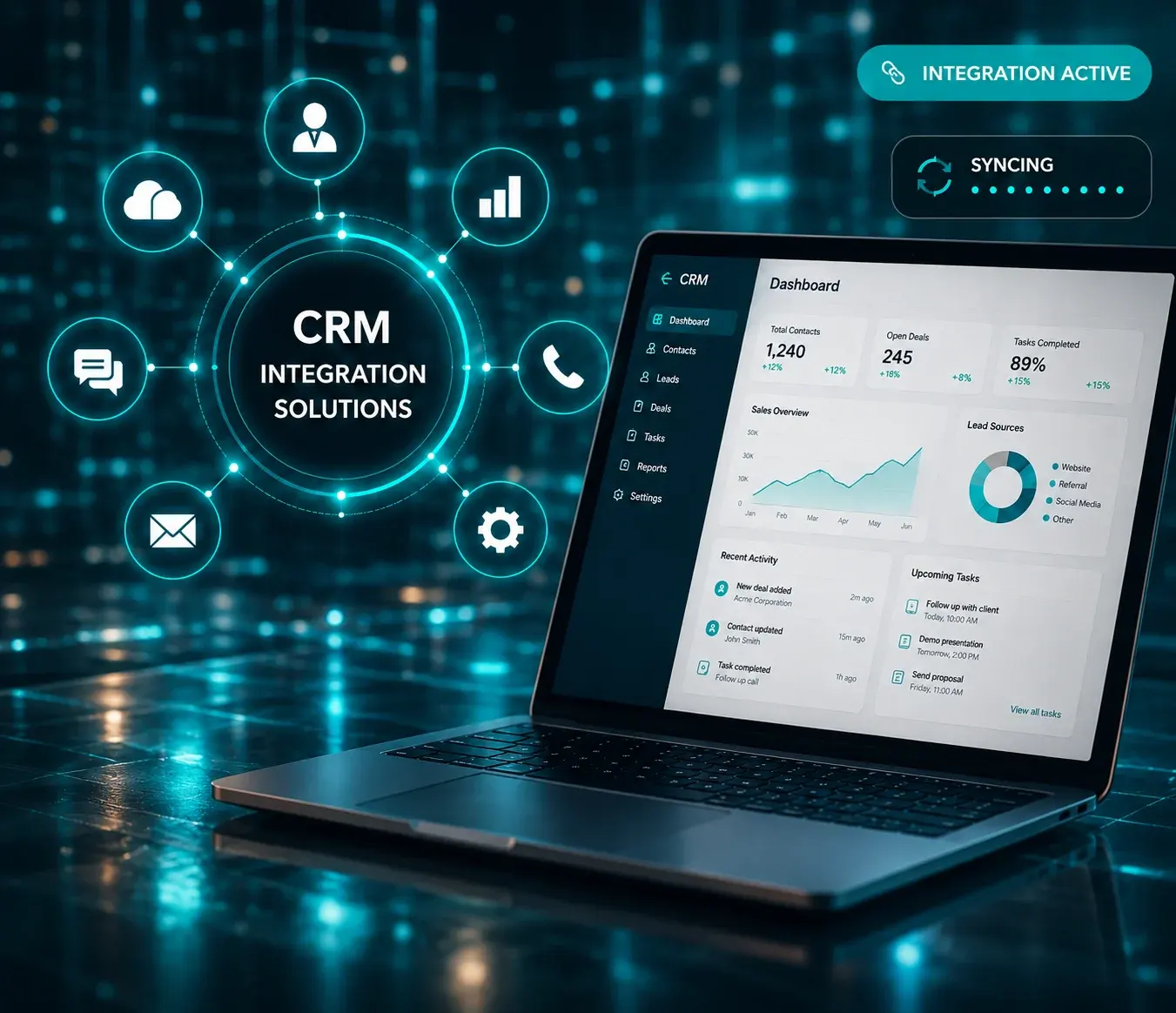
CRM Integration Solutions

Connect your communication, sales, and customer operations with custom CRM integration solutions built for automation, visibility, and growth.

Integrate CRM With

Contact Center Platforms
VoIP & Telephony Systems
AI Voice Solutions
Customer Engagement Platforms
Business Applications
Automation Workflows
Contact Center CRM Integration

Connect Customer Conversations with Business Systems

Customer data becomes more valuable when every interaction is connected.

We develop CRM integration solutions that connect communication channels, business applications, and operational workflows to create a unified customer experience.

Whether you need CRM integration for contact centers, sales automation, customer engagement, or internal systems, we build scalable and reliable integration architectures.

CRM Integration Services

Contact Center CRM Integration

Connect customer communication directly with customer records.

Capabilities

Screen Pop Click-to-Call Customer Timeline Interaction History Agent Workspace Activity Logging

VoIP & Telephony CRM Integration

Synchronize calls and communication data with CRM.

Capabilities

Call Logging Call Recording Access Contact Synchronization Auto Dialing Call Analytics Conversation Tracking

Omnichannel CRM Integration

Create a unified customer communication experience.

Capabilities

Voice Integration Messaging Integration Email Synchronization Shared Customer Profiles Channel History Unified Customer Journey

Workflow Automation Integration

Automate customer and operational processes.

Capabilities

Lead Assignment Follow-Up Automation Customer Notifications Task Automation Trigger-Based Actions Process Automation

Custom CRM Development & Integration

Build custom CRM experiences and business workflows.

Capabilities

Custom Modules API Development Portal Development Data Synchronization Reporting Dashboards Role-Based Access

CRM Integrations We Build

CRM integration workflows
Sales & Customer Operations
  • Lead Management
  • Opportunity Tracking
  • Customer Lifecycle Management
  • Sales Automation
Customer Service
  • Support Workflows
  • Ticket Management
  • Customer Communication
  • Service Operations
Communication Platforms
  • Contact Centers
  • Telephony Platforms
  • Customer Engagement Systems
  • Communication Automation
Business Platforms
  • ERP Integration
  • Internal Systems
  • Business Intelligence
  • Operational Platforms

Integration Architecture

01

Customer Channels (Voice • SMS • Email • Chat)

A full-time engineer focused exclusively on your project. You get their complete attention, consistent performance, and the ability to build deep product knowledge over time.

02

Communication Layer

Your own team of specialists working together like they are part of your company. Developers, QA engineers, project manager, and DevOps support coordinated around your goals and timeline.

03

Integration Engine

End-to-end development with a clear scope and defined deliverables. Hire expert VoIP developers specifically for a project, with a defined start and completion date.

04

CRM Platform

End-to-end development with a clear scope and defined deliverables. Hire expert VoIP developers specifically for a project, with a defined start and completion date.

05

Business Systems

End-to-end development with a clear scope and defined deliverables. Hire expert VoIP developers specifically for a project, with a defined start and completion date.

06

Analytics & Automation

End-to-end development with a clear scope and defined deliverables. Hire expert VoIP developers specifically for a project, with a defined start and completion date.

Common CRM Integration Features

Customer Context

Unified Customer Profile
Customer History
Interaction Timeline
Customer Segmentation

Productivity

Click-to-Call
Auto Logging
Workflow Automation
Shared Customer Data

Automation

Lead Routing
Event Triggers
Notifications
Process Orchestration

Analytics

Customer Insights
Engagement Tracking
Team Performance
Conversion Reporting

Supported Integrations

CRM Platforms

  • Salesforce
  • HubSpot
  • Zoho CRM
  • Microsoft Dynamics
  • Custom CRM Systems

Communication Platforms

  • Contact Centers
  • VoIP Systems
  • Messaging Platforms
  • Customer Engagement Platforms

Business Applications

  • ERP Systems
  • Ticketing Platforms
  • Analytics Platforms
  • Internal Tools

Industries We Serve

Telecom & Communication

The voice bots manage customer support while letting your team concentrate on the technical issues which require human intervention.

Healthcare & Telemedicine

The appointment scheduling and patient intake process become automated so that you can concentrate on patient treatment.

E-commerce

The lead qualification and product queries happen via chatbots thus allowing your sales team to communicate with qualified leads.

Education & eLearning

The queries by the students and admissions process become automated thus allowing the advisors to engage with qualified leads.

Real Estate

The unqualified leads become screened out while allowing your agents to manage the deals.

Logistics & Operations

Routine customer and technical support gets resolved without human involvement, so your team handles complex issues.

Why Build CRM Integrations with Capanicus

voipimg

Communication & Platform Engineering Expertise

Connect customer conversations directly with business processes.

Integration-First Architecture

Build scalable and maintainable integrations.

Workflow Automation

Reduce manual work and improve customer response.

End-to-End Delivery

Architecture, implementation, deployment, and support.

Typical Business Outcomes

1

Faster Response Times

Access customer context instantly.

2

Increased Productivity

Reduce manual switching across systems.

3

Better Customer Visibility

Create a unified customer view.

4

More Automation

Trigger actions across business systems.

Frequently Asked Questions

CRM integration is the process of connecting a Customer Relationship Management system with other business tools, applications, or communication platforms to streamline data flow and improve customer management. It allows businesses to automatically sync customer details, call records, leads, support tickets, sales activities, and communication history in one centralized system. With CRM integration, teams can improve productivity, reduce manual data entry, deliver faster customer support, and make more informed business decisions.

Yes, CRM systems can be integrated with contact center software to create a seamless connection between customer data and communication workflows. This integration allows agents to access customer profiles, call history, tickets, notes, and previous interactions directly from the contact center platform. It also enables features such as click-to-call, automatic call logging, lead tracking, screen pop-ups, and real-time data synchronization. By integrating CRM with contact center software, businesses can improve agent productivity, personalize customer interactions, reduce manual work, and deliver faster, more efficient support.

Yes, CRM systems can be connected with telephony systems to streamline call management and improve customer communication. This integration allows businesses to make and receive calls directly from the CRM, automatically log call details, access customer information during live calls, and track communication history in one place. It can also support features such as click-to-call, call recording, call routing, caller ID pop-ups, and real-time updates. By connecting CRM with telephony systems, businesses can improve agent efficiency, reduce manual data entry, enhance customer experience, and ensure every customer interaction is properly recorded and managed.

Yes, CRM integrations can automate workflows by connecting the CRM with business applications, communication tools, and support systems. This allows routine tasks such as lead assignment, follow-up reminders, call logging, ticket creation, email notifications, data synchronization, and status updates to happen automatically. By automating these workflows, businesses can reduce manual effort, improve response times, minimize errors, and ensure teams have accurate customer information whenever they need it.

Yes, existing CRM systems can be extended to add new features, improve workflows, and meet specific business requirements. CRM extensions can include custom modules, third-party integrations, automation tools, reporting dashboards, API connections, communication features, and industry-specific functionality. Extending an existing CRM helps businesses enhance system capabilities without replacing their current platform, making it easier to improve productivity, streamline operations, and support future growth.

Yes, integrations can work with multiple communication channels such as voice calls, email, live chat, SMS, WhatsApp, social media, and support ticketing platforms. Multi-channel integration allows businesses to manage customer interactions from different platforms in one centralized system, ensuring agents have complete access to customer history and communication details. This helps improve response times, maintain consistent service quality, reduce manual work, and deliver a seamless customer experience across every channel.

The time required for CRM integration depends on the complexity of the system, the number of applications being connected, customization needs, data migration requirements, and workflow automation involved. A basic CRM integration can usually be completed within a few days, while more complex integrations with telephony systems, contact center software, third-party tools, custom modules, and advanced automation may take a few weeks. A proper analysis of business requirements, existing systems, and integration goals helps determine an accurate timeline and ensures a smooth implementation.

Yes, we support custom CRM development tailored to specific business needs, workflows, and customer management processes. Our CRM solutions can include custom modules, lead and contact management, sales pipeline tracking, workflow automation, reporting dashboards, third-party integrations, telephony integration, and role-based access control. Whether you need a new CRM system or want to enhance an existing platform, custom CRM development helps improve operational efficiency, centralize customer data, and support scalable business growth.

Blogs, News and Insights worth exploring
We love reading, researching, and writing a lot of stuff about technology, current trends, and other technology-related things. Explore our writings where we have shared our technological insights.
blogs
How SMS and Voice Broadcasting Solutions Enhance Customer Engagement
By Capanicus 2026-06-29 13:03:22
Just text me.  That’s what your customers are saying (not out loud) every time they ignore your notification, skip your email, and scroll past your post.  Honestly, they’re not ignoring you on purpose. They are just overwhelmed, like all of us. But a text? Or a voice message that speaks to them directly? That still cuts through every single time.  Most businesses already know this. They just haven’t built their communication around it yet and are still pouring budget into channels that made sense five years ago. And that’s exactly where Capanicus comes in with SMS broadcasting software. We help you debunk the uncomfortable truth that separates businesses that grow on the back of loyal customers from those that are constantly chasing new ones.  This piece of content covers everything from “how do we send more” to “how do we actually reach them”. Let’s start with the root.  The Attention Problem Is a Channel Problem Don’t take our words for it; the numbers tell a completely different story.  SMS open rates hover around 98%.  Email? Closer to 20% on your lucky day.  Voice messages – when delivered at the right moment – drive response rates that digital-native marketers spend years trying to replicate with complex automation stacks.  This clearly tells the channel that the channel you choose is a statement about how much you respect the person on the other end.  SMS says: I understand you’re busy. But here’s what you need in 5 seconds. Voice says: This matters enough that I want you to hear it.  When put together, they form the backbone of what modern customer engagement should look like. Actually, this type of customer engagement is built around your customer’s time, not yours.  What SMS Broadcasting Solution Actually Does for a Business A well-defined SMS broadcasting software is a complete kind of communication infrastructure.   Let’s understand this with an example. You can reach 10,000 customers in the time it takes to write one email. You can categorize the list by location, purchase behavior, or customer tier and send messages so relevant that they feel like they were written by someone who actually understands the recipient and their challenge. Also,  you can schedule campaigns, track delivery, monitor opt-outs, and optimize everything from one dashboard.  This is a relationship management system that fits inside a text message. Like for a retail brand, an SMS broadcasting solution might mean sending a flash sale notification that drives 400 in-store visits in two hours. Whereas for a healthcare provider, it’s appointment reminders that cut no-show rates by 40%. The usage varies, but the principle stays the same: when you meet people where they already are – on their phones, on SMS, in a channel they actually look.  Voice Broadcasting: The Human Touch at Scale It’s a well-known fact that there’s something SMS can’t replicate. When a customer hears a voice, it triggers the same processing pathways as real conversation, conveying urgency, warmth, and authority. Honestly, voice broadcasting services exist precisely because this gap matters. Businesses that have integrated voice broadcasting into their outreach consistently report higher recall rates, stronger emotional responses, and improved conversion on time-sensitive communications compared to text.  Furthermore, a voice SMS broadcasting service closes the loop between the two worlds. It allows businesses to deploy both formats in a coordinated campaign, or the reverse: an SMS that piques curiosity, with a voice follow-up that seals the deal.  It’s not at all complex. It just recognizes that different customers respond to different stimuli, and that a channel strategy built on that reality outperforms one built on what’s easiest to deploy.  The Case for a Call Broadcasting Solution – You Must Know It’s no longer a hidden secret that SMS alone won’t cut it through, and that’s where a call broadcasting solution earns its place.  Political campaigns, emergency alerts, and financial institutions notifying customers of suspicious account activity. Besides, educational institutions reaching thousands of parents simultaneously are another example. In all these examples, the message is action-critical as it demands a medium that needs attention the moment it arrives.  Here, once again, a voice call broadcasting system delivers pre-recorded or live-transfer calls to massive contact lists within minutes. In reality, modern platforms go a step ahead. They support interactive voice response (IVR), enabling recipients to press a key to speak to an agent, confirm an appointment, opt into a service, or even register a vote.  The efficiency gain is beyond measure. But the more crucial transition is in how customers experience. A call that says “press 1 to confirm your appointment at 3 PM tomorrow” is a convenience, not a hurdle. And when implemented well, voice broadcasting services feel like a healthy business investment.  Integration Is The Subtle Difference That Matters  The real power of blending SMS and voice broadcasting is in the orchestration.  Capanicus builds call broadcasting solutions and SMS platforms, particularly to work in tandem, feeding data back and forth so every touchpoint informs the next. For example, a customer who doesn’t respond to the SMS gets a voice follow-up, or a customer who engages with the voice message gets an SMS with the link to complete the action. The system learns which customers prefer which channel, and over time, your outreach becomes genuinely smarter.   This is the difference between broadcasting and engaging. Broadcasting is merely sending, while engaging is a conversation that happens to be at scale.  What Businesses Get Wrong About Broadcasting And How To Solve It The technology isn’t the complex part. The mindset is.  Numerous businesses treat SMS and voice broadcasting as a volume play, like more sends, more calls, better results. But, in the real world, that’s not how it works. A customer who receives irrelevant messages from your brand five times a week will opt out by week two. And once someone opts out, they’re carrying a negative impression of your brand.  But the businesses that win with SMS broadcasting software and voice call broadcasting are the ones that treat these channels as premium real estate. Every message has to earn its send, and every call has to justify the interruption. That requires clean segmentation, thoughtful timing, and copy that respects the reader’s intelligence.  It also requires the right platform, one that makes compliance easy, lists hygiene, and analytics clearly enough that you can see what’s working and what’s not before burning your complete contact database.  Finally, The Shift Is Already Happening And your competitors are not sitting still on this. The brands are already ahead of square one, deploying coordinated SMS and call broadcasting solutions, shortening their sales cycles, reducing churn, and building the kind of consistent top-of-mind presence that earns repeated business.  Now, the question for every stakeholder like you reading this isn’t whether SMS and voice broadcasting work. The evidence on that is settled. The pressing question is whether your present communication infrastructure is built to capitalize on its advantage. Or whether you’re still relying on a channel mix designed for a customer behavior that stopped being true five years ago.  Capanicus exists to answer that question. And to make the transition from “we send emails and hope” to “we reach people and get responses” feel less like a technology project and more like a business turning point.  Want to know how Capanicus SMS and voice broadcasting platform can transform your customer engagement? Let’s start the conversation.  Because we understand, nobody ever said: “Just email me more.”
Read more
blogs
10 Essential Features Every Omnichannel Communication Platform Should Have in 2026
By Capanicus 2026-06-23 14:21:34
  An omnichannel communication platform enables businesses to manage customer interactions across multiple communication channels—including voice calls, email, SMS, live chat, WhatsApp, and social media—from a single unified interface. It helps improve customer experience, boost agent productivity, reduce response times, and create consistent conversations across every touchpoint. Introduction Customer expectations have changed dramatically over the past few years. People no longer interact with businesses through a single communication channel. They might discover your business through social media, ask questions via WhatsApp, receive updates by email, and later contact your support team over a phone call. Regardless of the channel they choose, customers expect one continuous conversation. They don’t want to repeat their problem every time they contact your business. Unfortunately, many companies still rely on disconnected communication tools. Customer conversations are scattered across multiple platforms, forcing support teams to switch between applications and manually piece together interaction histories. This results in slower response times, inconsistent support, frustrated customers, and reduced team productivity. An omnichannel communication platform solves this challenge by bringing every customer interaction into one centralized workspace. Whether a customer contacts your business through voice, SMS, live chat, WhatsApp, Facebook Messenger, Instagram, email, or any other supported channel, your team has complete visibility into the entire customer journey. Instead of juggling multiple systems, agents can focus on what matters most—delivering fast, personalized, and consistent customer experiences. In this guide, we’ll explore the essential features every modern omnichannel communication platform should have, along with how these capabilities improve customer engagement, operational efficiency, and long-term business growth. Why Businesses Need an Omnichannel Communication Platform Businesses today communicate with customers through more channels than ever before. While this creates more opportunities to engage customers, it also introduces new operational challenges. Imagine this scenario. A customer first sends a product inquiry through Facebook Messenger. The following day, they email your support team asking about pricing. Later, they call your sales department to confirm availability. If your communication channels operate independently, each employee only sees a portion of the conversation. The customer must explain the same issue multiple times, creating frustration and delaying resolution. Now imagine the same interaction using an omnichannel communication platform. Every conversation—regardless of whether it happened through Facebook, WhatsApp, email, live chat, SMS, or voice—is automatically connected to the customer’s profile. When the customer contacts your business again, your team immediately sees previous conversations, purchase history, support requests, and important notes from earlier interactions. This creates several business benefits: Faster response times Higher first-contact resolution rates Better customer satisfaction Increased agent productivity Improved collaboration across departments Consistent customer experiences Reduced operational costs Rather than managing multiple communication tools, your team spends more time solving customer problems and building stronger relationships. 1. Unified Inbox A unified inbox is the foundation of every successful omnichannel communication platform. Instead of checking separate dashboards for email, SMS, WhatsApp, live chat, Facebook Messenger, Instagram, LinkedIn, and voice calls, agents manage every customer conversation from one centralized interface. A unified inbox becomes even more effective when integrated with VoIP software development for seamless voice communication. This eliminates unnecessary context switching and significantly improves productivity. A well-designed unified inbox should support: Email SMS Voice Calls WhatsApp Business Facebook Messenger Instagram Direct Messages Live Chat LinkedIn Messaging Telegram Custom Business Channels Beyond simply collecting conversations, the inbox should also allow agents to: Assign conversations to teammates Transfer chats between departments Add internal notes Tag conversations Track conversation status Set priorities View complete customer history Search previous interactions instantly With every customer interaction available in one place, teams collaborate more effectively while delivering faster and more personalized support. 2. Real-Time Synchronization Across Every Channel Customers expect businesses to remember every previous interaction regardless of which communication channel they use. Real-time synchronization ensures that customer information is updated instantly across the entire platform. For example, if a customer places an order through WhatsApp and later contacts support via email, the support agent should immediately see: Order history Previous conversations Support tickets Customer profile Payment status Notes from other departments Without real-time synchronization, different teams often work with outdated or incomplete information, resulting in inconsistent communication and unnecessary delays. A modern omnichannel communication platform keeps every interaction synchronized automatically, ensuring every department has access to the latest customer information. 3. Intelligent Conversation Routing Every customer inquiry requires different expertise. A billing issue should reach the finance department. A technical issue should be reported to technical support. Sales inquiries should go directly to the sales team. This is where intelligent routing becomes essential. Instead of manually assigning conversations, the platform automatically routes requests using predefined rules such as: Customer type Department Language Business hours Product category Priority level Customer location Agent availability For example: Billing questions are automatically assigned to the finance team. Technical support requests are routed to certified engineers. High-value customers receive priority support. Frequently asked questions are handled by AI before reaching a live agent. Intelligent routing minimizes wait times, improves response quality, and ensures customers always connect with the right expert. Organizations using contact center software development can automate intelligent routing across multiple communication channels. 4. AI-Powered Automation Artificial Intelligence has become one of the most valuable components of modern customer communication. Rather than replacing human agents, AI helps them work faster by automating repetitive tasks. Today’s omnichannel communication platforms commonly include: AI Chatbots AI Voice Agents Automated FAQs Smart Reply Suggestions Ticket Categorization Sentiment Analysis Conversation Summaries Workflow Automation For instance, if a customer asks about store hours, order tracking, password resets, or appointment availability, an AI chatbot can provide instant responses without human intervention. If the issue requires personalized assistance, the platform automatically transfers the conversation to a live agent along with the complete interaction history. This ensures customers never have to repeat themselves while allowing agents to resolve issues more efficiently. 5. Advanced Analytics and Reporting You can’t improve what you don’t measure. A robust omnichannel communication platform should provide real-time insights into customer interactions, team performance, and business operations. Essential reporting metrics include: First Response Time (FRT) Average Resolution Time (ART) Customer Satisfaction Score (CSAT) First Contact Resolution (FCR) Agent Productivity Channel-wise Performance Peak Communication Hours Customer Engagement Trends These insights help managers identify bottlenecks, optimize staffing, improve customer service strategies, and make data-driven business decisions. Instead of relying on assumptions, businesses gain complete visibility into how every communication channel contributes to customer experience and operational performance. 6. Enterprise-Grade Security and Compliance Customer communication often contains sensitive information, including personal details, payment records, business conversations, and confidential documents. Protecting this data isn’t just a best practice—it’s a business necessity. A reliable omnichannel communication platform should include enterprise-level security features such as: End-to-end encryption Multi-factor authentication (MFA) Role-based access control Audit logs Automatic data backups Disaster recovery Secure cloud infrastructure Compliance with GDPR, HIPAA, PCI DSS (where applicable) Security also means giving administrators complete control over who can access customer information. Different departments should only see the data relevant to their responsibilities. A secure platform builds customer trust, reduces business risk, and helps organizations meet regulatory requirements without adding unnecessary complexity. 7. Seamless Integration with Business Applications An omnichannel communication platform should never operate in isolation. Your customer conversations become far more valuable when they connect with the rest of your business systems. The platform should integrate with: CRM Software Helpdesk Solutions ERP Systems E-commerce Platforms Marketing Automation Tools Payment Gateways Calendar Applications Business Intelligence Tools For example, when a customer contacts support, the agent should instantly see: Customer profile Previous purchases Active subscriptions Open support tickets Payment status Sales history This eliminates manual data entry, reduces response time, and helps agents provide more personalized support. If your business requires custom workflows, the platform should also provide REST APIs, SDKs, and Webhooks for seamless third-party integrations. 8. Mobile Accessibility Customer conversations don’t stop after office hours. Modern businesses require communication tools that work from anywhere. Whether your support agents work remotely, travel frequently, or manage field operations, they should have secure access to customer conversations through mobile devices. A powerful mobile application should allow agents to: Receive real-time notifications Respond to conversations instantly View complete customer history Transfer conversations Access internal notes Share files Monitor team activity Join voice or video calls The mobile experience should offer the same functionality as the desktop platform without sacrificing performance or security. With mobile accessibility, businesses can deliver uninterrupted customer support regardless of location. 9. Performance Monitoring and Agent Productivity Delivering exceptional customer service requires continuous improvement. That’s why every omnichannel communication platform should include performance monitoring tools that help managers evaluate agent productivity and service quality. Teams handling large outbound campaigns often integrate predictive dialer development solutions to improve agent productivity. Key performance indicators (KPIs) include: Average Response Time First Contact Resolution Average Handling Time Customer Satisfaction Score (CSAT) Service Level Agreement (SLA) Compliance Missed Conversations Agent Availability Queue Performance Customer Wait Time By analyzing these metrics, businesses can identify performance gaps, optimize workflows, and improve customer service strategies. For example, if one support channel consistently experiences longer wait times than others, managers can adjust staffing or automate repetitive tasks to improve efficiency. Data-driven decisions lead to better customer experiences and more productive support teams. 10. Scalability for Future Business Growth The communication needs of your business today may look very different a year from now. As your customer base grows, your communication platform should grow with it. A scalable omnichannel communication platform should support: Unlimited users Multiple business locations Global teams High conversation volumes New communication channels AI-powered automation Multi-language support Cloud deployment Whether you’re handling hundreds or millions of customer interactions each month, the platform should continue delivering reliable performance without requiring major infrastructure upgrades. Cloud-native architectures make scaling easier while reducing maintenance costs, allowing businesses to focus on growth instead of managing servers. Omnichannel vs Multichannel Communication Many businesses confuse multichannel and omnichannel communication. Although they sound similar, they provide very different customer experiences. Multichannel allows customers to contact your business through different channels. Omnichannel connects every interaction into one continuous conversation, giving customers a seamless experience while improving agent productivity. Benefits of an Omnichannel Communication Platform Implementing an omnichannel communication platform delivers measurable benefits for both customers and businesses. Better Customer Experience Customers receive faster responses, personalized interactions, and consistent support across every communication channel. Increased Agent Productivity Agents spend less time switching between applications and more time solving customer issues. Faster Response Times AI automation, intelligent routing, and a unified inbox significantly reduce response and resolution times. Improved Collaboration Sales, support, and marketing teams share the same customer information, reducing miscommunication and duplicated work. Better Business Insights Real-time analytics help businesses understand customer behavior, monitor team performance, and make data-driven decisions. Higher Customer Retention A seamless communication experience builds trust, improves customer satisfaction, and encourages long-term loyalty. Industry Insight Businesses that unify customer communications often experience improvements in response times, operational efficiency, and customer satisfaction because agents no longer need to switch between disconnected systems or ask customers to repeat information. Instead, every interaction is available in one place, making support faster and more consistent. Technology Stack for Omnichannel Communication Platform Development Building a modern omnichannel communication platform requires a robust technology stack that ensures scalability, security, and real-time communication. The right technologies help businesses deliver seamless customer experiences while supporting future growth. A typical omnichannel platform includes the following components: Choosing the right technology stack depends on your business goals, expected customer volume, security requirements, and integration needs. A scalable architecture ensures your platform remains reliable as communication volumes grow. How an Omnichannel Communication Platform is Developed Developing an omnichannel communication platform involves much more than integrating multiple communication channels. It requires careful planning, scalable architecture, and a user-centric approach. 1. Business Requirement Analysis The first step is understanding your communication workflows, customer journey, business objectives, and existing software ecosystem. This helps define the platform’s scope and required features. 2. UI/UX Design An intuitive interface improves agent productivity. During this stage, designers create dashboards, conversation views, customer profiles, and reporting screens that are easy to navigate. 3. Platform Architecture Developers design a secure and scalable architecture that supports voice, video, chat, email, SMS, and social media channels while ensuring real-time synchronization. 4. Communication Channel Integration Popular communication channels such as WhatsApp, email, voice calls, live chat, Facebook Messenger, Instagram, SMS, and third-party CRMs are integrated into a unified platform. 5. AI and Automation AI-powered features like chatbots, voice agents, intelligent routing, sentiment analysis, and automated workflows are implemented to improve efficiency and customer experience. Businesses are increasingly combining AI automation with AI virtual agents to provide intelligent 24/7 customer support. 6. Testing and Quality Assurance Every feature undergoes functional, security, performance, and usability testing to ensure reliable operation across devices and communication channels. 7. Deployment and Ongoing Support After deployment, the platform is continuously monitored, updated, and optimized to support new features, security enhancements, and business growth. Industries That Benefit from Omnichannel Communication Platforms Almost every customer-focused business can benefit from an omnichannel communication platform. However, the impact is particularly significant in industries that handle high volumes of customer interactions. Healthcare Manage patient appointments, telehealth consultations, reminders, and support requests from a single platform while maintaining secure communication. Banking and Financial Services Provide secure customer support across voice, chat, email, and messaging channels while ensuring compliance with industry regulations. E-commerce and Retail Support customers throughout their buying journey with order updates, product inquiries, returns, and personalized recommendations across multiple channels. Telecommunications Handle technical support, billing inquiries, and service requests efficiently while improving first-contact resolution rates. BPO and Contact Centers Enable agents to manage conversations across voice, email, chat, and social media through one unified interface, improving productivity and reducing response times. Real Estate Manage property inquiries, appointment scheduling, follow-ups, and customer engagement through integrated communication channels. Education Improve communication between institutions, students, and parents with centralized messaging, notifications, and support services. Travel and Hospitality Deliver seamless booking support, itinerary updates, customer assistance, and post-trip engagement through a consistent omnichannel experience. Future Trends in Omnichannel Communication Platforms Customer communication continues to evolve rapidly. Businesses investing in omnichannel solutions should prepare for technologies that will shape the future of customer engagement. AI Voice Agents AI-powered voice assistants will handle routine customer interactions, reducing wait times and improving service availability. Generative AI AI will assist agents by generating responses, summarizing conversations, and recommending next-best actions in real time. Hyper-Personalization Platforms will use customer behavior, purchase history, and AI-driven insights to deliver highly personalized communication experiences. Predictive Customer Support Advanced analytics will identify customer issues before they occur, enabling proactive engagement and reducing support requests. AI-powered voice agents are becoming an essential part of modern omnichannel communication platforms. Voice Biometrics Voice authentication will improve security while eliminating the need for lengthy identity verification processes. Unified Customer Data Platforms Customer information from CRM systems, communication channels, and business applications will become even more interconnected, providing a complete 360-degree customer view. Businesses adopting these technologies early will gain a competitive advantage by delivering faster, smarter, and more personalized customer experiences. Why Choose Capanicus for Omnichannel Communication Platform Development? At Capanicus, we build custom omnichannel communication platforms that simplify customer engagement and improve business communication. Our solutions are designed to unify voice calls, video, email, SMS, WhatsApp, live chat, and social media interactions into one centralized platform. Our expertise includes: Custom Omnichannel Platform Development Contact Center Software Development VoIP Software Development WebRTC Development AI Voice Agent Development AI Virtual Agent Solutions Predictive Dialer Development CRM & Third-Party Integrations We focus on building secure, scalable, and future-ready communication platforms that help businesses improve customer experience, streamline operations, and accelerate digital transformation. Whether you’re launching a new communication platform or modernizing an existing system, our team delivers solutions tailored to your unique business requirements. Frequently Asked Questions (FAQs) 1. What is an omnichannel communication platform? An omnichannel communication platform is a centralized solution that enables businesses to manage customer interactions across multiple communication channels—including voice calls, email, SMS, WhatsApp, live chat, and social media—from a single dashboard. It provides agents with complete customer context, resulting in faster responses and a more consistent customer experience. 2. What is the difference between omnichannel and multichannel communication? Multichannel communication allows customers to contact a business through multiple channels, but each channel operates independently. Omnichannel communication connects every interaction into one continuous conversation, ensuring customer history and context remain available across all channels. 3. Which communication channels should an omnichannel platform support? A modern omnichannel communication platform should support: Voice Calls Email SMS WhatsApp Business Live Chat Facebook Messenger Instagram LinkedIn Telegram Video Calling Custom APIs The exact channels depend on your business requirements and customer preferences. 4. Can an omnichannel communication platform integrate with CRM software? Yes. Most modern platforms integrate with popular CRM systems, helpdesk software, ERP solutions, payment gateways, and marketing automation tools. These integrations provide agents with a complete customer profile and reduce manual work. 5. Is AI important in an omnichannel communication platform? Absolutely. AI helps automate repetitive tasks such as answering FAQs, routing conversations, summarizing chats, analyzing customer sentiment, and providing response suggestions. This improves response times while allowing agents to focus on complex customer issues. 6. How secure are omnichannel communication platforms? Enterprise-grade platforms include advanced security features such as end-to-end encryption, role-based access control, multi-factor authentication, audit logs, automatic backups, and compliance with standards like GDPR and HIPAA where required. 7. Which industries benefit most from omnichannel communication platforms? Industries including healthcare, banking, insurance, retail, e-commerce, telecommunications, education, travel, logistics, and BPO/contact centers can significantly improve customer engagement and operational efficiency with omnichannel communication. 8. How long does it take to develop a custom omnichannel communication platform? The timeline depends on the project’s complexity, required integrations, communication channels, and AI capabilities. A basic solution may take a few months, while an enterprise-grade platform with advanced features and custom integrations can take significantly longer. 9. Can an omnichannel communication platform scale as my business grows? Yes. Cloud-based omnichannel platforms are designed to scale with your business. They can support additional users, communication channels, business locations, and customer interactions without compromising performance. Conclusion Customer expectations continue to evolve, and businesses that rely on disconnected communication systems risk slower response times, inconsistent customer experiences, and lower operational efficiency. An omnichannel communication platform solves these challenges by bringing every customer interaction into a unified workspace. From a centralized inbox and AI-powered automation to real-time synchronization, advanced analytics, enterprise security, and seamless integrations, the right platform enables businesses to deliver faster, smarter, and more personalized customer support. Whether you’re building a communication platform from scratch or modernizing your existing infrastructure, investing in the right omnichannel solution helps improve customer satisfaction, increase team productivity, and prepare your business for future growth. As AI, automation, and customer expectations continue to evolve, organizations that adopt scalable omnichannel communication platforms today will be better positioned to compete in the years ahead. Looking to build a scalable customer communication solution? Explore our Omnichannel Platform Development Services to develop a custom AI-powered omnichannel platform with VoIP, WebRTC, CRM integration, and automation. Ready to Build a Custom Omnichannel Communication Platform? Looking to develop a secure, scalable, and AI-powered omnichannel communication platform tailored to your business? At Capanicus, we help businesses build modern communication solutions that integrate voice, video, email, SMS, WhatsApp, live chat, social media, and AI automation into one unified platform. Whether you need a custom contact center solution, omnichannel platform, AI voice agent, or enterprise communication software, our team can help you design and develop a solution that meets your business goals. Get in touch with Capanicus today to discuss your omnichannel communication platform development project.
Read more
blogs
Inbound vs Outbound Call Center Architecture: Key Differences Explained
By Capanicus 2026-06-18 13:08:57
If you’ve ever called a company to fix your internet connection or sort out a billing issue, you were connected to an inbound call center. And if a sales rep ever called you out of nowhere offering a new plan or product, that was an outbound call center doing its job. Inbound vs Outbound Call Center Architecture sounds simple. But the moment you go behind the scenes, you realize these two setups are built completely differently. Different software, different workflows, different goals, and different challenges. If you’re building a call center or upgrading your current setup, understanding this difference is not optional. Getting it wrong means wasted money, frustrated agents, and a poor customer experience. Let’s walk through this call center software development guide properly. What an Inbound Call Center Actually Does An inbound call center is built to receive calls. Customers reach out to you. The entire system, the software, the staffing, the routing logic, everything is designed around handling incoming volume without making people wait too long or repeat themselves five times. You’ll typically see inbound setups used for customer support, technical troubleshooting, order tracking, billing queries, and general helplines. The agents here are reactive by nature. Their job is to listen, solve, and close the interaction as smoothly as possible. What makes inbound architecture unique is how it manages the flow of calls coming in. When 40 people call at the same time, the system has to decide who gets served first, which agent picks up which call, and what happens when everyone is busy. This is not something you can manage manually at scale. What an Outbound Call Center Is Built For An outbound call center works in the opposite direction. Your agents are making the calls. The business reaches out to customers or prospects with a specific purpose, whether that’s selling something, collecting a payment, confirming an appointment, or gathering feedback. The entire architecture here is built around efficiency and volume. How many calls can an agent make per hour? Who is being called and when? What happens if no one picks up? What do you do with a voicemail? Outbound setups are common in sales teams, collections departments, market research firms, and any business that does proactive customer outreach. Agents here work from structured lists and follow defined scripts with specific targets to hit. Where the Inbound vs Outbound Call Center Architecture Actually Differs This is the part most people skip over, and it’s the most important part. How To Determine Your Software Requirements? A lot of businesses make the mistake of thinking one generic platform will cover both inbound and outbound needs equally well. It usually does not. Some modern call center solutions do offer a blended environment where agents can handle both inbound and outbound within the same platform. This works well for mid-sized teams that do not have the volume to justify fully separate setups. But even in a blended system, the logic that governs inbound calls and the logic that governs outbound campaigns run separately under the hood. Here is a complete overview- Call Routing vs Call Dialing The engine of an inbound call center is its routing system. When a customer calls in, the system immediately has to figure out what they need and where to send them. This is handled through IVR systems that let callers select options and ACD systems that automatically distribute calls to the right agents based on availability, skills, or priority. Good inbound call center software does this in real time without the caller feeling like they’re being shuffled around. The smarter the routing, the faster customers get real help. Progressive Dialer vs Predictive Dialer Outbound systems run on dialers instead. A preview dialer shows the agent the contact details before placing the call. A progressive dialer automatically dials the next number once an agent is free. A predictive dialer goes a step further and dials multiple numbers simultaneously, only connecting the agent when someone actually picks up. This last type can significantly increase the number of productive conversations per shift, but it needs to be configured carefully to stay within legal telemarketing guidelines. Queue Management vs List Management In an inbound environment, the biggest operational challenge is managing the queue. Who is waiting? How long have they been waiting? Are high-priority customers getting through faster? Is staffing keeping up with call volume during peak hours? Your customer support system needs to handle all of this in real time, offer callback options when wait times spike, and give supervisors a live view of what is happening across the floor. In an outbound environment, the challenge shifts to managing your contact list. Who has already been called? What was the result? Is this contact in a time zone where calling right now is appropriate? Has this person asked not to be called again? The outbound system tracks call outcomes, schedules follow-ups, and keeps the list clean and compliant. What Agents See on Their Screen This difference is subtle, but it matters a lot in practice. Inbound agents need context the moment a call lands. Before they even say hello, they should be able to see the caller’s account, their previous interactions, any open issues, and relevant notes. Without this, every call starts from scratch, and customers end up repeating themselves, which is one of the top reasons people get frustrated with support. Outbound agents need a different kind of screen. They need to see who they are calling, why, what the goal of the call is, and what happened on previous attempts. The interface is built around moving through a list efficiently while capturing outcomes accurately. Staffing Logic Is Completely Different Inbound call center staff are based on predicted incoming volume. You use historical data to figure out when your busiest hours are and make sure you have enough agents on shift. Understaffing means long queues and angry customers. Overstaffing means paying people to sit idle. Outbound teams are staffed based on campaign goals. How many contacts do you need to reach this week? What is your average call duration? How many attempts does it typically take before someone picks up? The math here is driven by targets, not by incoming traffic. Outbound Call Center or Inbound Call Center: Which One Do You Actually Need Most businesses lean one way more than the other based on what they do. If your primary interaction with customers is reactive, meaning they reach out to you for help or support, you need a strong inbound setup with smart routing, good CRM integration, and solid queue management. If your business model involves proactively reaching out to customers or prospects, for sales, retention, or collections, you need an outbound setup with reliable dialer technology, clean list management, and compliance controls built in. If you do both, you need a blended call center solution that handles each workflow correctly without forcing you to compromise on either side. The wrong choice here does not just slow you down. It creates real problems. Agents struggle with tools that are not built for their workflow, customers get a worse experience, and your team ends up working around the system instead of with it. Why Architecture Matters More Than Most People Think A call center is not just phones and headsets anymore. It is a system of interconnected software, workflows, data, and people. The architecture you choose determines how well all of those pieces work together. A well-built inbound system means customers get to the right person quickly, agents have the context they need to help without asking the same questions twice, and managers can see in real time whether the team is keeping up with demand. A well-built outbound system means agents spend more time talking to real people and less time waiting for someone to pick up, campaigns are tracked accurately, and the business stays compliant with regulations around outbound calling. Neither of these outcomes happens by accident. They come from choosing the right architecture and the right software from the start. How Capanicus Can Help You Build This Right At Capanicus, we build custom PBX and call center software tailored to how your business actually operates. Whether you need a full inbound call center setup, an outbound dialing system, or a blended platform that handles both, we build it from the ground up to match your workflows, your team size, and your goals. We do not sell you a generic platform and hope it fits. We understand the architectural differences between inbound and outbound environments and build accordingly. From intelligent call routing and IVR design to predictive dialer integration and CRM connectivity, every piece is built with purpose. If you are evaluating your call center setup or building one from scratch, we can help you make the right decisions before you commit to the wrong ones. Explore our call center software development services at capanicus.com, and let’s talk about what your operation actually needs.
Read more
blogs
Twilio vs Custom VoIP Platform: Which One Should You Build On?
By Capanicus 2026-06-16 13:39:31
Your business is growing manifold, and so are your call volumes. But what about the challenges no one talks about? Yes, we are talking about:  Inconsistent call quality that no one knows how to fix. Too rigid call routing and workarounds piling up. Third-party platforms’ downtime that nobody internally controls.  And somewhere in the middle of fixing all this, your Twilio bill quietly doubles.   We know you started with Twilio because it was fast and it did its job really well. But now your business has outgrown the foundation it was built on, and every month as you scale, the cracks get a little louder. Increased call volume is directly proportional to increased costs, leading to more dependencies on third-party platforms. This also brings nights hoping their infrastructure holds up so yours does too.  Honestly, this is the crossroad that hundreds of scaling businesses hit, and very few talk about openly. Or, even if you are planning to invest in a custom VoIP platform that is built specifically to manage your traffic, your workflow, and your growth trajectory, this blog is all you need.  This blog breaks that decision clearly, so you can walk away knowing exactly which path makes sense for your business right now.  The VoIP Market Is Exploding, and Your Decision Never Matters More Than Now  Before comparing platforms, it’s important to understand the scale of what you are stepping into. The global VoIP market, valued at approximately $40.2 billion in 2022, is now projected to surpass $108.5 billion by 2032, at a CAGR of 10.5%, according to Allied Market Research. These numbers are telling something worth not ignoring: businesses are no longer dabbling with VoIP; they are betting their whole communication infrastructure on it.  This explosive surge underlines two things.  The tools available to build on are maturing fast. The gap between companies that get their VoIP foundation right and those that don’t is widening. So, whether you plan to pick a managed VoIP platform like Twilio or adopt a custom-built approach, the decision shapes your cost structure, your scalability ceiling, and your ability to curate your place in the market.  What Twilio Actually Gives You and Where It Pulls Back As already known, Twilio is one of the most renowned names in Business VoIP services, and for good reasons. It provides development teams with a programmable API layer to send SMS, make and receive calls, and set up contact centers without building carrier relationships from scratch. Industry giants like Airbnb, Uber, and Netflix have used Twilio at several stages of their communication management. Here’s what Twilio genuinely does well:  Quick Onboarding: Coders can get their first call working in hours, compared to days. The documentation is solid, and the SDKs cover most major languages. Global Reach: Twilio connects to carriers in more than 180 countries, which is important if your business transcends geographies.   Scalability: You pay as you use, which keeps early-stage startups lean. Pre-built Products: Tools like Twilio Flex provide you with a contact center out of the box with decent customization. But this is also the moment where decision-makers tend to get caught off guard. Twilio’s pay-per-use pricing, which looks affordable on a small scale, compounds aggressively as volume scales. A business processing millions of minutes every month will find its Twilio bill becoming one of its largest line items. According to a recent survey, companies frequently reported 40-70% higher communication costs than projected once they scaled beyond their initial estimates.  Beyond cost, Twilio still curates as a third-party layer sitting between your business and the carrier network. This simply means you are operating under their uptime guarantees, their infrastructure decisions, and their roadmap priorities. So, when Twilio experiences an outage, your business communication also faces the repercussions. After all, you share infrastructure with thousands of other customers, which creates latency variables that are difficult to eliminate.  What Custom VoIP Platform Development Actually Unlocks Custom VoIP platform development is about owning the wheel. When you develop your own VoIP infrastructure, you make decisions that directly impact your margin, call quality, and competitive edge.  Here is what custom development actually changes for your business:  Complete Cost Control  Once the infrastructure is developed and the carrier relationships are established, your per-minute costs drop significantly. Businesses that migrate from third-party VoIP solutions to custom-developed platforms regularly report 30-60% reductions in communication costs over a 24-month period.  Custom Call Flows Without Workarounds With a proprietary VoIP platform, the developers can build the exact call routing logic your business needs. You customize the API to fit what your workflow demands. This matters significantly in industries like fintech, healthcare, and legal services where compliance-specific call handling is not a choice.   Data Ownership   On Twilio, your call metadata, recordings, and analytics live on their infrastructure. With a custom VoIP solution, you own that data wholly. In particular, for businesses operating under HIPAA, GDPR, or PCI-DSS, this is a requirement.  Carrier-grade reliability Often, custom platforms connect directly to SIP trunking providers and tier-1 carriers also. Besides, you can negotiate uptime SLAs directly and architect redundancy your way. A well-defined custom VoIP platform routinely delivers 99.99% uptime because it’s built specifically for your traffic patterns instead of sharing a general pool.  Deep Integrations Without API Rate Limits Twilio’s API rate limit and webhook architecture create boundaries. Whereas custom platforms integrate natively with your existing CRM, helpdesk, analytics stack, and internal tools at the database level.  The Real Cost Comparison: Where the Numbers Diverge This section is about what most comparison articles skip: the actual financial timeline.  Twilio charges nearly $0.0085/minute for inbound calls and $0.13/minute for outbound calls in the US. So, a business managing 500,000 minutes every month spends nearly $5,750 on inbound solely, whereas outbound, SMS, and platform fees are additional. At par, annual communication spends climb well past $100,000 to $20,000 or more.  While custom VoIP platform development carries higher upfront costs, typically in the bracket of $50,000 to $200,000 depending on complexity, plus ongoing hosting and SIP tracking costs that run significantly lower per minute once established.  The math alone explains why so many growing companies start with Twilio and actively look for Twilio alternative once they cross a specific volume threshold.  When Twilio Is the Right Call and When It Is Not This goes without saying that neither option wins universally. Honestly, the right answer depends on where you are and where you are going. Twilio makes sense when: You are early-stage and validating a product concept Your call volumes remain below 100,000 minutes per month You lack in-house infrastructure expertise Speed to market outweighs long-term cost optimization You need global reach without carrier contracts Custom VoIP platform development makes sense when: Your monthly call volumes are growing past 200,000 minutes You operate in a regulated industry with strict data residency requirements You need deep, proprietary integrations with internal systems Call quality and latency are competitive differentiators in your business You want predictable, declining infrastructure costs as you scale You are building a product or platform where VoIP is a core feature, not a utility The pattern among successful VoIP companies is remarkably consistent: they use managed services like Twilio to move fast early, then migrate to custom infrastructure once the business case becomes undeniable. Conclusion: You Do Not Have to Figure This Out Alone This is the truth that most technology vendors will not tell you: the right VoIP platform decision is not about the platform. It is about having the right partner to architect, build, and scale it with you. At Capanicus, we have helped businesses at exactly this crossroads: growing fast, outgrowing Twilio’s cost model, and needing a custom VoIP platform that performs like it was built for them, because it was. We do not sell you a platform and hand you a manual. We understand your call flows, your compliance requirements, your integration landscape, and your growth trajectory before we write a single line of code. If your business communication infrastructure is starting to feel like it is working against you rather than for you, remember that it is a strategy problem. And strategy problems have clear solutions when you are working with people who have solved them before. Ready to stop paying Twilio’s bill and start owning your communication stack? Let’s talk.
Read more
Start your successful business idea transformation journey with us.
Get in touch