Callers no longer want to press 1 for billing and 2 for support. Instead, they want to say what they need and get a useful answer. A real-time AI voice agent with FreeSWITCH makes that possible on the phone lines you already run.
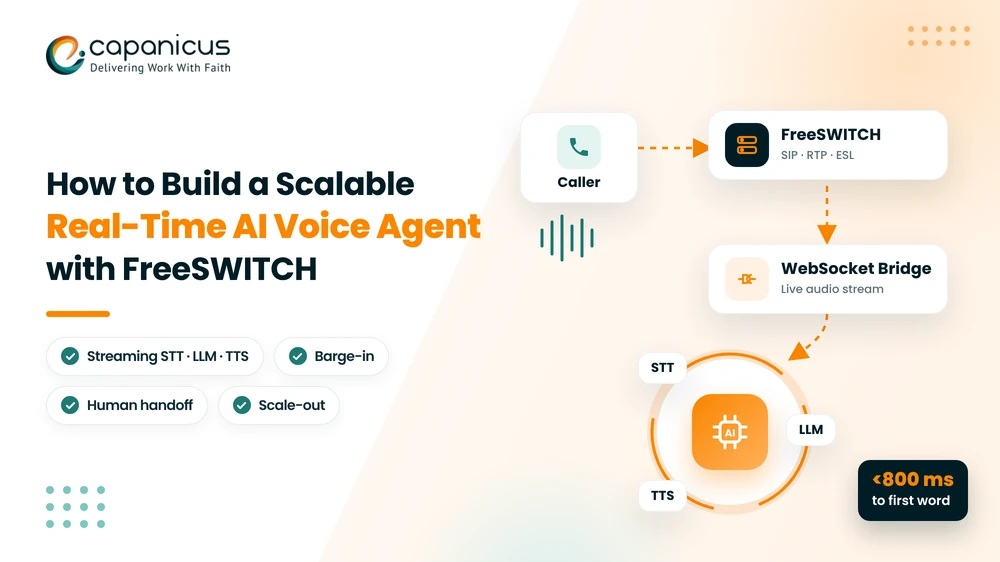
The key idea is a clean split of responsibilities. FreeSWITCH manages the call: SIP signaling, media, codecs, transfers, and recording. Meanwhile, external AI services manage the conversation. They turn speech into text, decide what to say, and then turn the reply back into speech.
By the end of this guide, you will know how to connect the two step by step. You will also learn to keep latency low, support barge-in, hand off to humans, and scale to thousands of concurrent calls.
Why Use FreeSWITCH for AI Voice Agents?
FreeSWITCH is an open-source telephony platform designed for high call concurrency. In fact, it already handles the hard parts of voice infrastructure that an AI model should never touch:
- SIP trunking and WebRTC endpoints
- Codec negotiation and transcoding (G.711, G.722, Opus)
- RTP media handling and call recording
- Dialplan routing, queues and call transfers
- Event Socket Layer (ESL) for instant call control from external apps
Because the intelligence lives outside the PBX, you can upgrade your speech or language models without touching telephony. Likewise, you can tune telephony without re-training anything. As a result, that separation makes a FreeSWITCH AI voice agent production-ready rather than a demo.
Core Architecture of an AI Voice Agent with FreeSWITCH
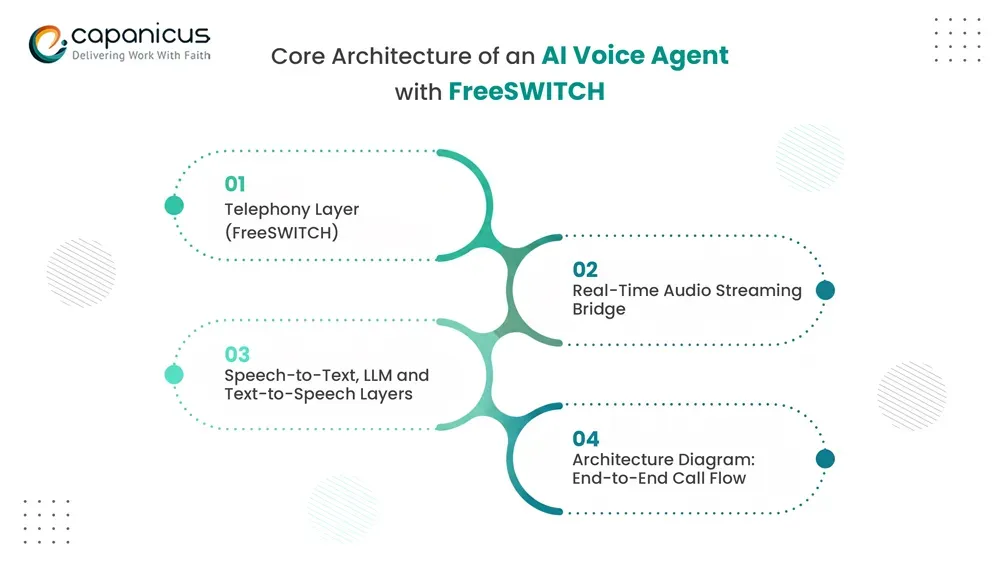
Every real-time voice agent is built from five layers that pass audio and text within a continuous loop.
Telephony Layer (FreeSWITCH)
FreeSWITCH receives the call from a SIP trunk, carrier, or WebRTC client and answers it. Then it negotiates codecs and routes the call to an AI context in the dialplan. It also controls the call for its entire life.
Real-Time Audio Streaming Bridge
A streaming module forks the live call audio to your bridge service over a WebSocket, frame by frame. The bridge is your own application. It connects FreeSWITCH to the AI services and also sends synthesized speech back into the call.
Speech-to-Text, LLM and Text-to-Speech Layers
- Streaming STT converts caller audio into partial and final transcripts, with endpointing to detect when the caller has finished speaking.
- The LLM reads the transcript, conversation history, and business rules, then decides what to say and which backend tools to call.
- Streaming TTS converts the reply into audio and starts playback before the full reply has been synthesized.
Architecture Diagram: End-to-End Call Flow
Audio flows from the caller through FreeSWITCH to the bridge. Then it goes around the STT, LLM, and TTS loop and back into the call. FreeSWITCH executes transfers to human agents when the bridge requests them over ESL.
Step-by-Step: How to Build the AI Voice Agent
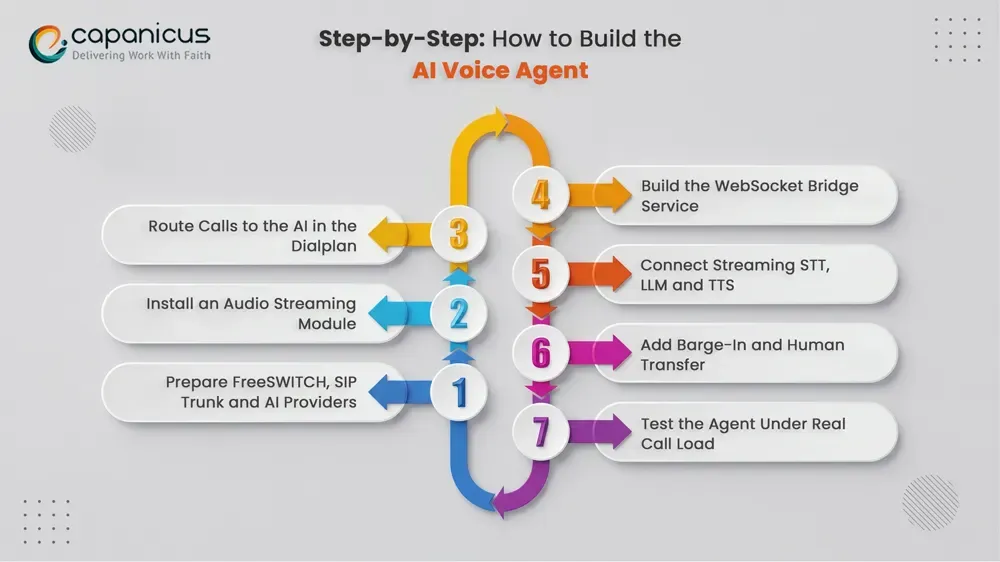
Module and provider choices vary, but the build sequence stays the same.
Step 1: Prepare FreeSWITCH, SIP Trunk and AI Providers
Before writing code, make sure you have:
- A recent, stable FreeSWITCH release with a SIP trunk or WebRTC endpoint that can receive test calls.
- Accounts with streaming STT, LLM, and TTS providers, or self-hosted models
- A server for the bridge service on the same private network as FreeSWITCH
- Event Socket Layer (ESL) enabled and bound to a private interface.
Step 2: Install an Audio Streaming Module
Core FreeSWITCH does not stream call audio to WebSockets out of the box. Instead, the usual approach is a community module such as mod_audio_fork or mod_audio_stream. Then compile it against your FreeSWITCH version and load it in modules.conf.xml. Choose a module that supports bidirectional audio if you want to stream TTS back without writing temporary files.
Step 3: Route Calls to the AI in the Dialplan
Create a dialplan extension that answers the call, starts the audio fork to your bridge, and holds the call open:
<extension name="ai_voice_agent">
  <condition field="destination_number" expression="^1000$">
    <action application="set" data="api_on_answer=uuid_audio_fork ${uuid} start wss://bridge.internal:8443/call mono 16k"/>
    <action application="answer"/>
    <action application="park"/>
  </condition>
</extension>
The exact command syntax depends on the module you install, so check its documentation.
Step 4: Build the WebSocket Bridge Service
The bridge is an asynchronous service written in Python, Node.js, or Go. It accepts the WebSocket from FreeSWITCH and reads binary PCM frames. Then it runs two tasks in parallel: one sends caller audio to STT, while the other streams replies.
import asyncio, websockets

async def handle_call(ws):
    stt = await open_stt_stream()  # your STT client

    async def from_caller():
        async for frame in ws:
            if isinstance(frame, bytes):
                await stt.send_audio(frame)

    async def to_caller():
        async for text in stt.final_transcripts():
            async for chunk in tts_stream(llm_stream(text)):
                await send_audio(ws, chunk)  # module-specific format

    await asyncio.gather(from_caller(), to_caller())

async def main():
    async with websockets.serve(handle_call, "0.0.0.0", 8443, ssl=ssl_ctx):
        await asyncio.Future()

asyncio.run(main())
The helper functions and ssl_ctx (your TLS certificate) are placeholders for your own code. However, one rule matters: nothing in the audio path may block. For example, a slow CRM lookup must never stop audio from flowing.
Step 5: Connect Streaming STT, LLM and TTS
Send audio to STT as soon as it arrives, and use its endpointing to detect the end of a turn. Then pass the final transcript, call history, and caller context to the LLM. Expose narrow tools such as CRM lookup, appointment booking, order status, and ticket creation. However, keep permissions, payments, and other sensitive logic in your backend, not in the model. Finally, stream the LLM’s first sentence to TTS immediately and send audio chunks back as they arrive.
Step 6: Add Barge-In and Human Transfer
Keep listening while the agent speaks. When voice activity detection hears the caller, the bridge stops sending TTS audio. It also clears anything already queued. For FreeSWITCH playback, send uuid_break <uuid> all over ESL. For audio sent over the WebSocket, use the streaming module’s own clear command instead. Also tune VAD sensitivity so background noise or speakerphone echo does not trigger false interruptions.
For handoff, the bridge first stops the audio fork. Then it saves a short conversation summary as a channel variable with uuid_setvar. Finally, it sends uuid_transfer to move the call to a human queue.
Step 7: Test the Agent Under Real Call Load
Test with real phone lines, not just WebRTC, because PSTN audio is narrowband and noisier. Also use SIPp to generate concurrent calls and log STT, LLM, and TTS latency for every turn. Then fix the slowest stage first.
How to Keep Voice Agent Latency Under 800 ms
Callers judge a voice agent by how fast it responds. Therefore, aim for the first audible word within 500 to 800 milliseconds after the caller stops speaking. That budget covers network travel, STT finalization, LLM time to first token, TTS time to first audio, and playback.
- Stream every stage. Never wait for a full transcript, full reply, or full audio file.
- Tune endpointing. The pause STT waits for before closing a turn is often the largest single delay. So keep it as short as accuracy allows.
- Use 16-bit linear PCM in mono. Use 8 kHz for PSTN calls and 16 kHz for wideband or WebRTC calls.
- Send small frames. Around 20 ms per frame suits interactive voice.
- Keep the bridge close. Run it on the same private network as FreeSWITCH.
- Pre-synthesize static prompts such as greetings and hold messages.
- Track per-turn telemetry for each stage so you know where the time goes.
How to Scale FreeSWITCH AI Voice Agents
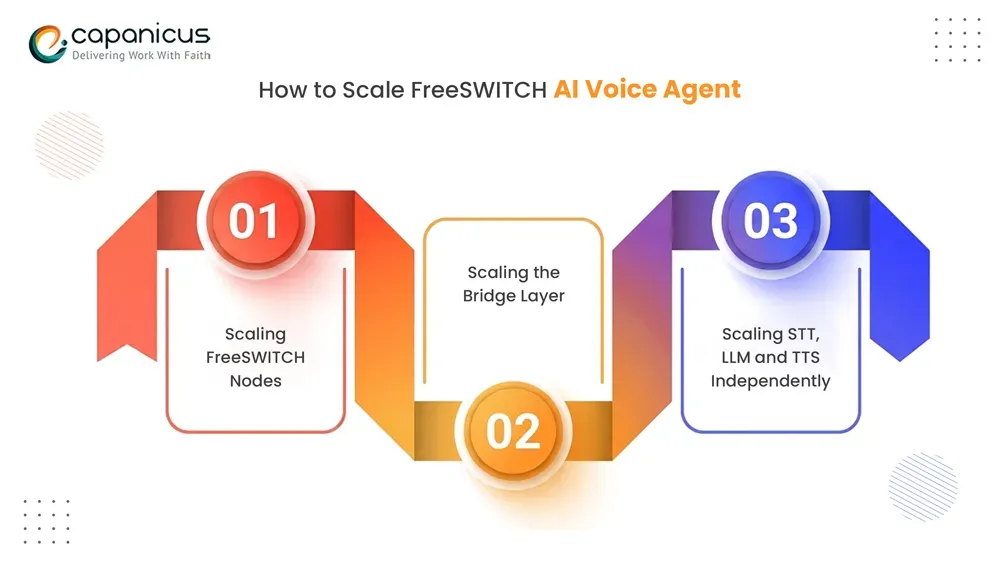
Scalability depends on the whole pipeline, not just the PBX. Therefore, scale each layer independently.
Scaling FreeSWITCH Nodes
Run several FreeSWITCH nodes behind a SIP load balancer such as Kamailio or OpenSIPS. Store call metadata in Redis or a shared database, and manage configuration centrally. Also remove unhealthy nodes automatically. Finally, match SIP trunk capacity to your concurrent-call target.
Scaling the Bridge Layer
Run bridge instances behind a WebSocket-aware load balancer and cap sessions per instance based on CPU, memory, and bandwidth. Use asynchronous I/O and connection pools for every provider. In addition, add backpressure so an overloaded instance rejects new calls cleanly instead of degrading live ones.
Scaling STT, LLM and TTS Independently
STT and TTS are media-heavy, while LLM load depends on tokens and context. Give each its own rate limits and autoscaling. Also use regional endpoints, provider failover, and model routing. For example, send simple intents to a fast model and complex requests to a stronger one. Finally, move summaries and CRM updates to background queues.
Securing Your AI Voice Agent: Media, Data and Compliance
Voice agents handle personal data, so security belongs in the first design, not a later sprint.
- Use WSS, not plain WebSocket, for audio streams. Also accept bridge connections only from FreeSWITCH nodes, using tokens or IP allowlists.
- Keep ESL on localhost or a private network. ESL has no native encryption, so tunnel it through a VPN or stunnel if it must cross hosts.
- Store API keys in a secrets manager and rotate them regularly.
- Take card details through a PCI-compliant DTMF flow, never through the AI, and redact sensitive data from transcripts and logs.
- Define retention periods, obtain consent where recording or AI processing requires it, and log every tool call for audits.
Human Handoff and Failure Handling
An AI agent should never be a dead end. Instead, transfer the call to a human when the caller asks for a person or fails verification repeatedly. Also transfer when the caller raises a high-risk or out-of-scope request, sounds frustrated, or when tools keep failing.
Plan for outages too. If STT, the LLM, or TTS stops responding, play a fallback prompt. Then route the caller to a live queue or a conventional IVR. The bridge should detect a dropped WebSocket and transfer the call rather than leave the caller in silence.
Conclusion
In short, a scalable real-time AI voice agent with FreeSWITCH comes down to four decisions. Let FreeSWITCH own the call, and stream audio through a non-blocking bridge. Then stream every AI stage to stay under 800 ms, and scale each layer independently. Finally, add barge-in, clear human handoff, and strong security. As a result, you have an agent callers actually want to talk to.
If you are planning an AI voice agent or a FreeSWITCH deployment, our team can help you design, build, and scale it for production traffic. Talk to Capanicus about your project.
Frequently Asked Questions
Can FreeSWITCH run an AI voice agent on its own?
No. FreeSWITCH handles calls and media, not speech recognition or reasoning. It streams call audio to a WebSocket bridge, which connects to STT, an LLM, and TTS.
What audio format should FreeSWITCH use for AI voice agents?
Use 16-bit linear PCM in mono: 8 kHz for PSTN calls and 16 kHz for wideband or WebRTC calls. Most streaming STT and TTS services accept it without extra conversion.
How does barge-in work in a FreeSWITCH voice agent?
The bridge keeps listening while the agent speaks. When it detects caller speech, it stops playback and processes the new input. DTMF can trigger an interruption too.
How many concurrent calls can a FreeSWITCH AI voice agent handle?
There is no fixed number. Capacity depends on hardware, codecs, bridge efficiency, and AI provider limits. Because each layer scales horizontally, you can add capacity where load-testing shows a bottleneck.
When should the AI transfer a call to a human agent?
Transfer when the caller asks for a person, the request is high-risk or out of scope, verification fails, or the system fails. An obvious exit protects customer satisfaction.