
A teacher in Punjab and a student in Toronto, same lecture, same screen, zero flight tickets. That’s not a hypothetical anymore, it’s Tuesday for a lot of schools and training companies right now. Virtual classrooms went from a pandemic workaround to something institutions actually plan around, and the market backs that up. The global e-learning market is on track to grow from roughly $275.86 billion in 2026 to $461.92 billion by 2031, a CAGR north of 10%, according to Mordor Intelligence’s latest industry data.
But here’s the thing nobody tells you upfront. Building a virtual classroom that actually works, one that doesn’t lag during a live quiz or crash when forty kids join at once, is a lot more involved than slapping a video call widget onto a website. This piece walks through what real virtual classroom software needs, what it actually costs to build, and why the payoff is worth it when it’s done right.
What Are Virtual Classroom Solutions
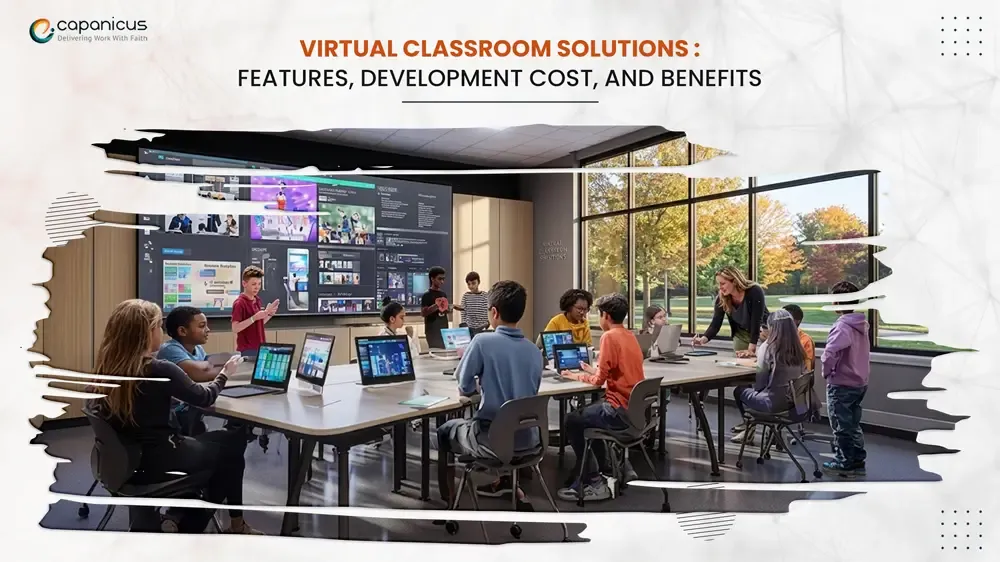
A virtual classroom solution is basically a digital version of a physical classroom, minus the walls. It combines live video, interactive tools, and content sharing into one platform where teachers and students can actually teach and learn in real time, not just watch a recorded video and hope for the best.
This is different from a generic online learning platform in one key way. An LMS focused purely on course delivery is built around self paced content, think Udemy style video libraries. A virtual classroom is built around live, synchronous interaction. Both matter, and honestly the strongest platforms blend the two, but they solve different problems.
Why Institutions Are Investing Now
Smartphone penetration among people aged 18 to 24 has hit 98%, according to Mordor Intelligence, which means the audience for online learning is basically already holding the device they’d use to access it. Add in the fact that over half of US students now take at least one online course, spanning K-12 through higher ed, and you start to see why schools and edtech companies aren’t treating this as optional anymore.
Corporate training tells a similar story. Companies aren’t just digitizing onboarding decks, they’re rebuilding entire training pipelines around virtual instruction because it scales without scaling travel budgets.
Core Features Every Virtual Classroom Needs

A basic video call is not a virtual classroom. Here’s what actually separates a platform teachers and students will stick with from one they’ll abandon after week two.
Live Video and Audio That Actually Holds Up
This sounds obvious, but it’s where most platforms fail first. Low latency, stable connections across spotty networks, and the ability to handle dozens or hundreds of concurrent participants without turning into a slideshow. If the video freezes every time someone unmutes, nothing else on this list matters.
Interactive Whiteboards
Static slides don’t teach math the way a whiteboard does. Real time drawing, annotation, and the ability for multiple people to write on the same board at once turns a lecture into an actual lesson.
Breakout Rooms
Group work doesn’t disappear just because class went online. Breakout rooms let a teacher split a class into smaller groups, drop in on each one, and bring everyone back together without anyone re-joining a separate call.
Screen Sharing and Content Sharing
Whether it’s a slide deck, a code editor, or a PDF, students need to see exactly what the instructor is looking at, in sync, without a five second delay.
Attendance Tracking and Analytics
Institutions need proof students showed up and stayed engaged, not just that they clicked join. Automated attendance logs, engagement scoring, and participation data matter a lot more here than they do on a regular video call.
Recording and Playback
Live sessions should be recorded automatically so students who missed class, or just want to review a tricky section, can go back and watch it.
Assessment Tools
Live polls, quizzes, and instant feedback keep students engaged during the session instead of leaving all the testing for later.
Virtual Classroom Software vs Traditional LMS

Most serious platforms today don’t pick one or the other, they combine live classroom features with an LMS backbone so students get both structured courses and live sessions in one place.
E-Learning Software Development: What Goes Into Building One
Here’s where a lot of founders underestimate the project. Building virtual classroom software isn’t just a video call feature bolted onto a course platform, it’s real time infrastructure that has to hold up under load, plus everything an LMS needs on top of it.
The Real Time Communication Layer
This is the technical core, and it’s usually built on WebRTC or a similar real time communication protocol. It needs signaling servers to connect users, media servers to route audio and video efficiently once you’re past a handful of participants, and enough network optimization that a student on a weak connection doesn’t ruin the session for everyone else.
The Learning Management Backend
Course structuring, content storage, student progress tracking, gradebooks, this is the part that makes the platform useful outside of live sessions too.
Scalability Planning
A platform that works fine for a pilot class of twenty falls apart fast if it can’t handle three hundred concurrent users during exam season. Planning for scale from day one saves a painful rebuild later.
Security and Data Privacy
Student data, especially involving minors, comes with real compliance obligations. Encryption, access controls, and proper data handling aren’t optional extras here.
Virtual Classroom Development Cost
Cost is the question everyone actually wants answered, and the honest answer is: it depends heavily on scope. Still, here’s a planning range based on typical project complexity.
A basic virtual classroom with core video, whiteboard, and screen sharing features sits at the lower end of the investment scale. Add breakout rooms, detailed analytics, custom LMS integration, and support for large concurrent user loads, and the cost climbs into the mid to higher range. Enterprise grade platforms with custom infrastructure, advanced security compliance, and AI powered features like automated transcription or engagement scoring sit at the top end.
Treat any number you see quoted online as a rough planning range, not a fixed price, until an actual development partner scopes your specific feature list and expected user volume.
Benefits of Virtual Classroom Solutions
The payoff, when the platform is built right, shows up pretty quickly. Reach expands beyond geography, since a single instructor can teach students across cities or countries in one live session. Costs drop too, both for institutions cutting physical infrastructure and for students skipping commute and housing expenses tied to in person programs.
There’s also a data advantage traditional classrooms never had. Every session generates engagement data, attendance patterns, and performance metrics that let institutions actually see what’s working instead of guessing. And recordings mean nothing is lost the moment class ends, students revisit material whenever they need to, which traditional lectures never offered.
Why Choose Capanicus for Virtual Classroom Development

Real Time Communication Is Their Core Expertise
Virtual classroom software lives or dies on the real time communication layer, and that happens to be exactly what Capanicus specializes in. Their team works deep in WebRTC, VoIP, and real time media infrastructure, the same technology stack that powers stable, low latency video at scale. That’s not a small thing when you’re building something students and teachers will rely on daily.
Built for Scale, Not Just Demo Day
Instead of treating video calling as a bolt on feature, Capanicus builds the signaling and media architecture from the ground up, so your virtual classroom holds up whether it’s ten students or a thousand joining a live session. They’ve built this kind of infrastructure across VoIP systems, AI powered communication tools, and CRM integrated calling, which means the same engineering discipline that keeps enterprise phone systems reliable gets applied to your classroom platform too.
Starting With Your Actual Use Case
Projects start with understanding what your platform actually needs to do, not a generic feature checklist, but your specific use case, whether that’s K-12 instruction, corporate training, or tutoring at scale.
Handling the Full Stack
From there, Capanicus handles the full stack: real time video infrastructure, whiteboard and breakout room functionality, LMS integration, and the scalability planning that keeps things stable as your user base grows.
The Bottom Line
If you’re building or upgrading a virtual classroom platform and want a team that actually understands the real time communication tech underneath it, not just the interface on top, Capanicus is worth talking to. As an E-Learning and Educational Apps Development Company in India, they bring the infrastructure expertise that turns a good idea into a platform students and teachers will actually want to use every day.
Get a Free Consultation
Not sure yet whether your virtual classroom needs custom WebRTC infrastructure or if an existing framework would do the job? That’s exactly the kind of question worth asking before any code gets written, not after.
Capanicus offers a free consultation to walk through your specific requirements, expected user volume, and feature priorities, then map out a realistic development plan and timeline around them. No generic proposals, just a conversation about what your platform actually needs to work well from day one. Reach out to get started.